
Quick Start
Prerequisites
An available server (RHEL8).
The user must be able to log in via SSH and have full sudoer privileges.
A workspace for the task.
Preparation
Design the format for system configuration information.You don’t need to manage all system information as parameters. You can add or review them as needed when management becomes necessary in the future.
Create a Parameter Sheet
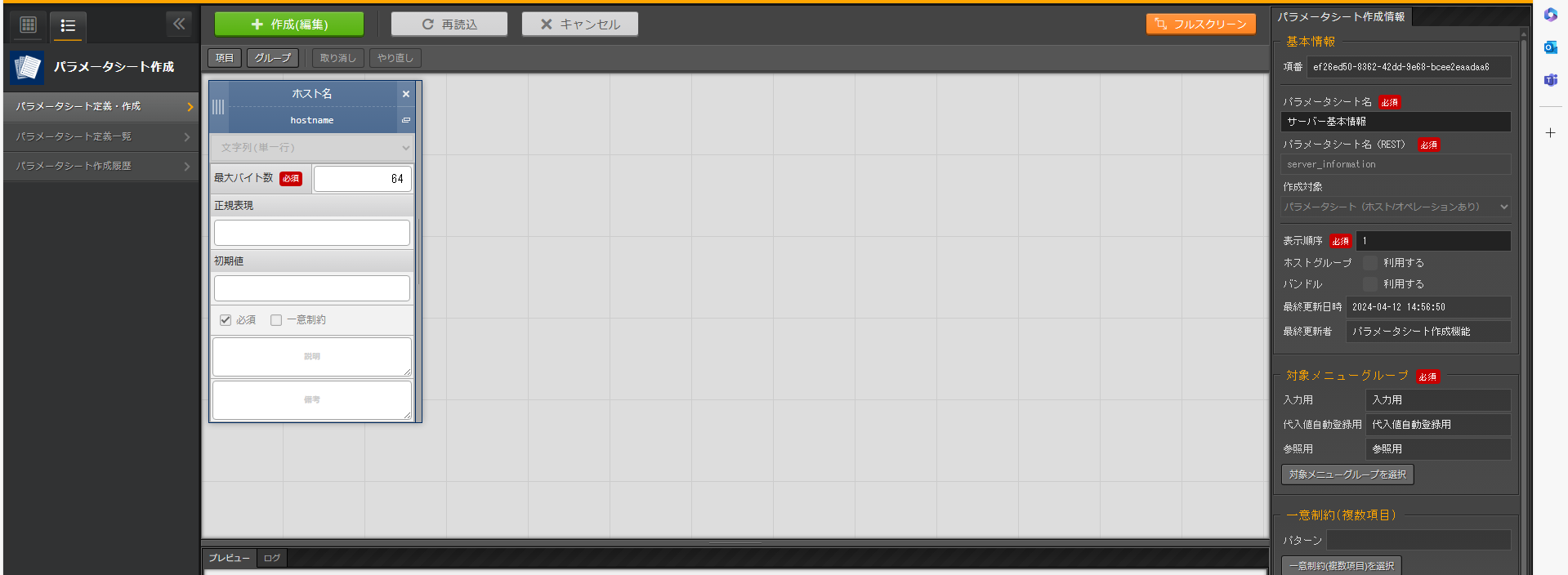
Setting Item |
Setting Value (Item 1) |
|---|---|
Field Name |
Hostname |
Field Name(For Rest API) |
Hostname |
Input Method |
String(Single Line) |
Maximum Bytes |
64 |
Regexp |
|
Initial Value |
|
Required |
✓ |
Unique Constraint |
|
Description |
|
Remarks |
Setting Item |
Setting Value |
|---|---|
Item Number |
(Automatic Input) |
Parameter Sheet Name |
Server Basic Information |
Parameter Sheet Name(REST) |
Server_Information |
Object To Be Created |
Parameter Sheet(Hosted with Operations) |
Display Order |
1 |
Bundle Usage |
Uncheck “Use” (Disabled) |
Last Updated Timestamp |
(Automatic Input) |
Last Updated User |
(Automatic Input) |
Configure Work Items
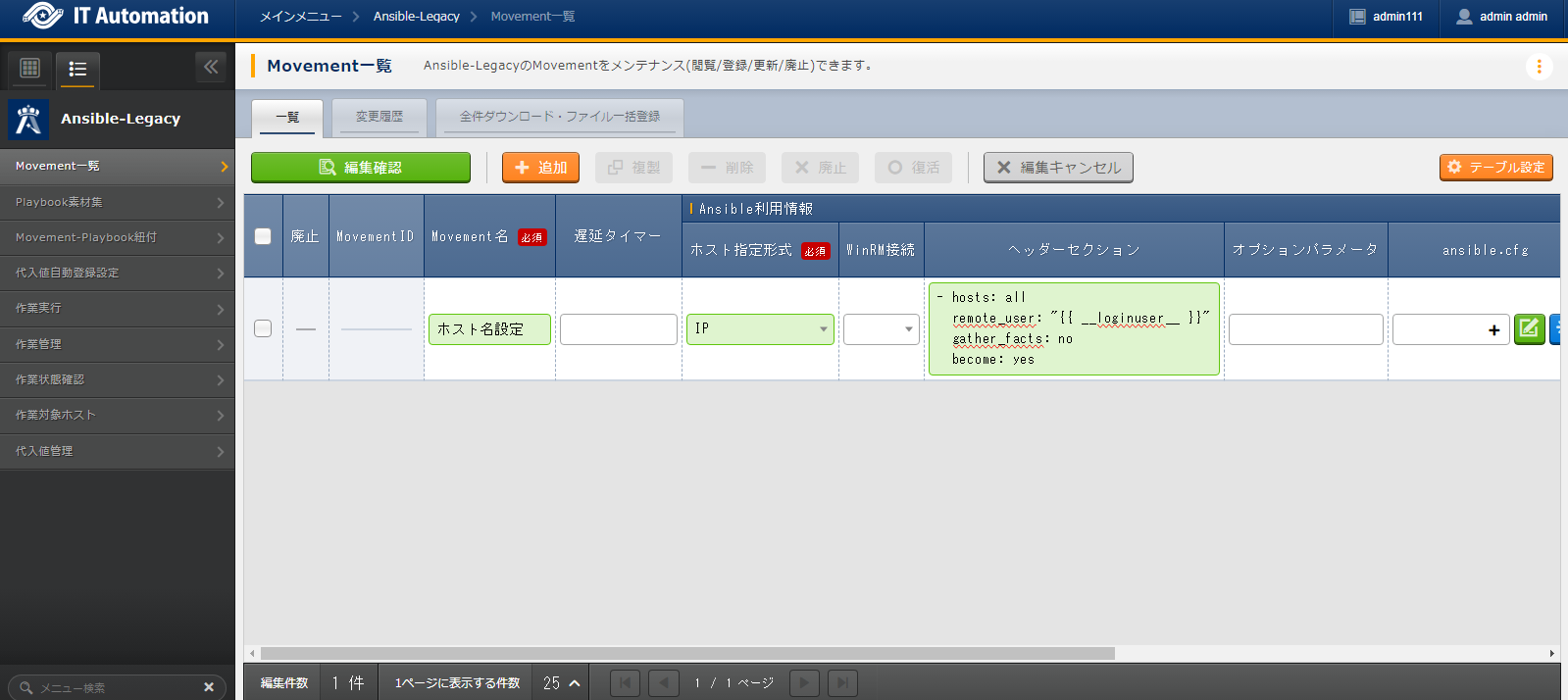
Movement Name |
Ansible Usage Information |
|
|---|---|---|
Host Specification Format |
Header Section |
|
Hostname settings |
IP |
*See the Header section. |
- hosts: all
  remote_user: "{{ __loginuser__ }}"
  gather_facts: no
  become: yes
Register an Ansible Playbook
- name: Set a hostname
  ansible.builtin.hostname:
    name: "{{ hostname }}"
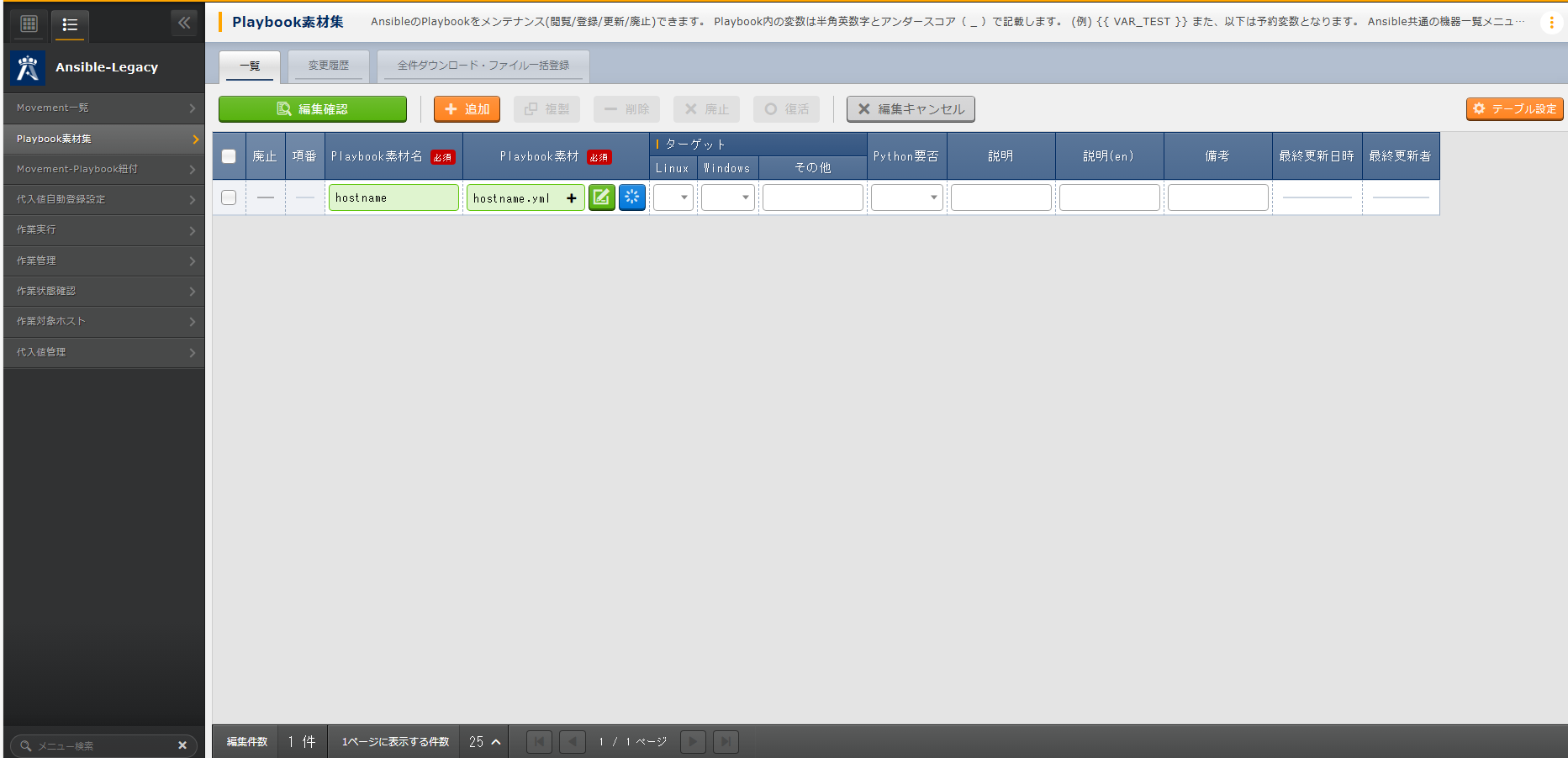
Playbook Material Name |
Playbook Material |
|---|---|
hostname |
|
Link Movements and Ansible Playbooks
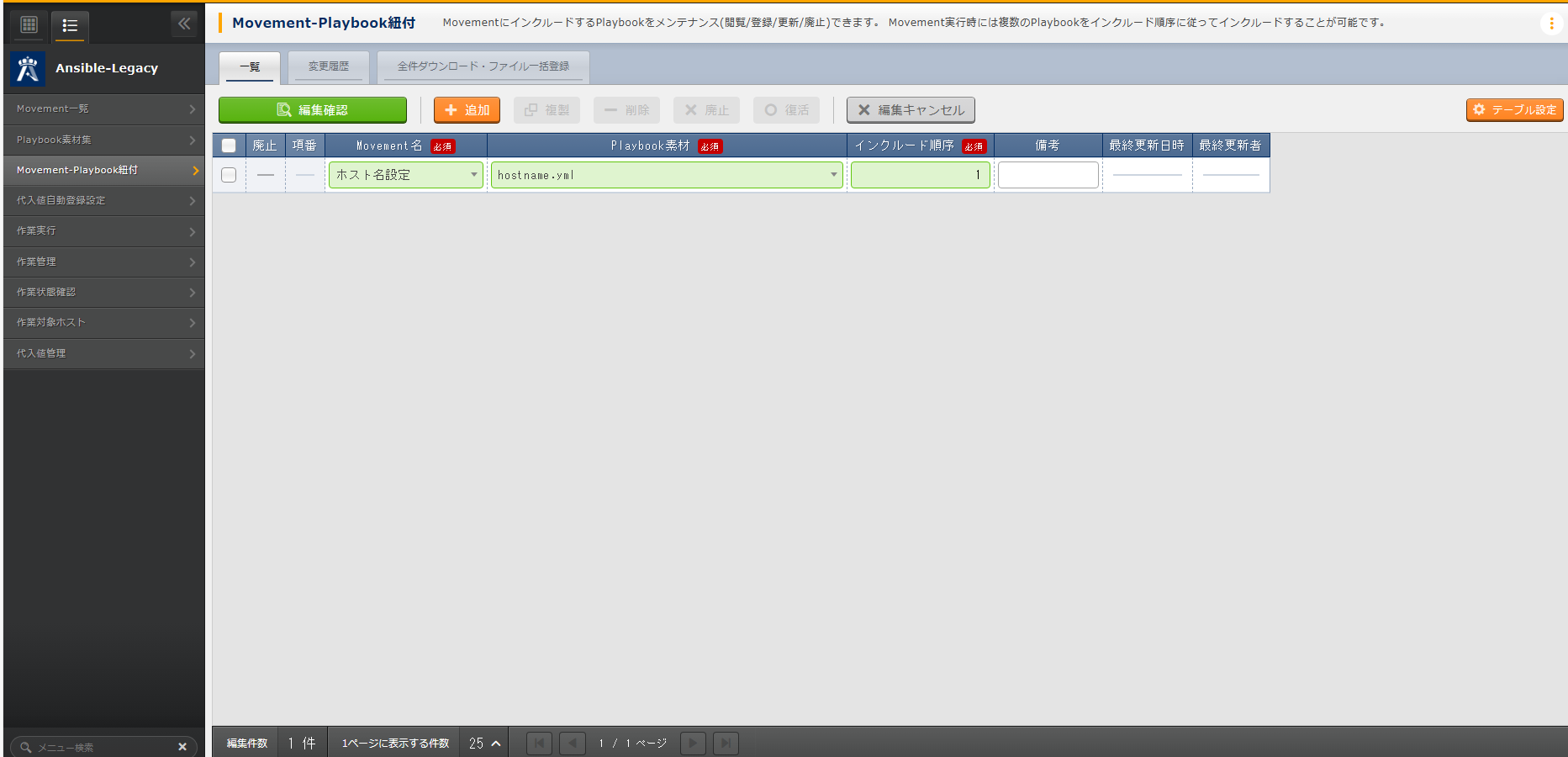
Movement Name |
Playbook Material |
Include order |
|---|---|---|
Hostname settings |
hostname.yml |
1 |
Link Parameter Sheet Items and Ansible Playbook Variables
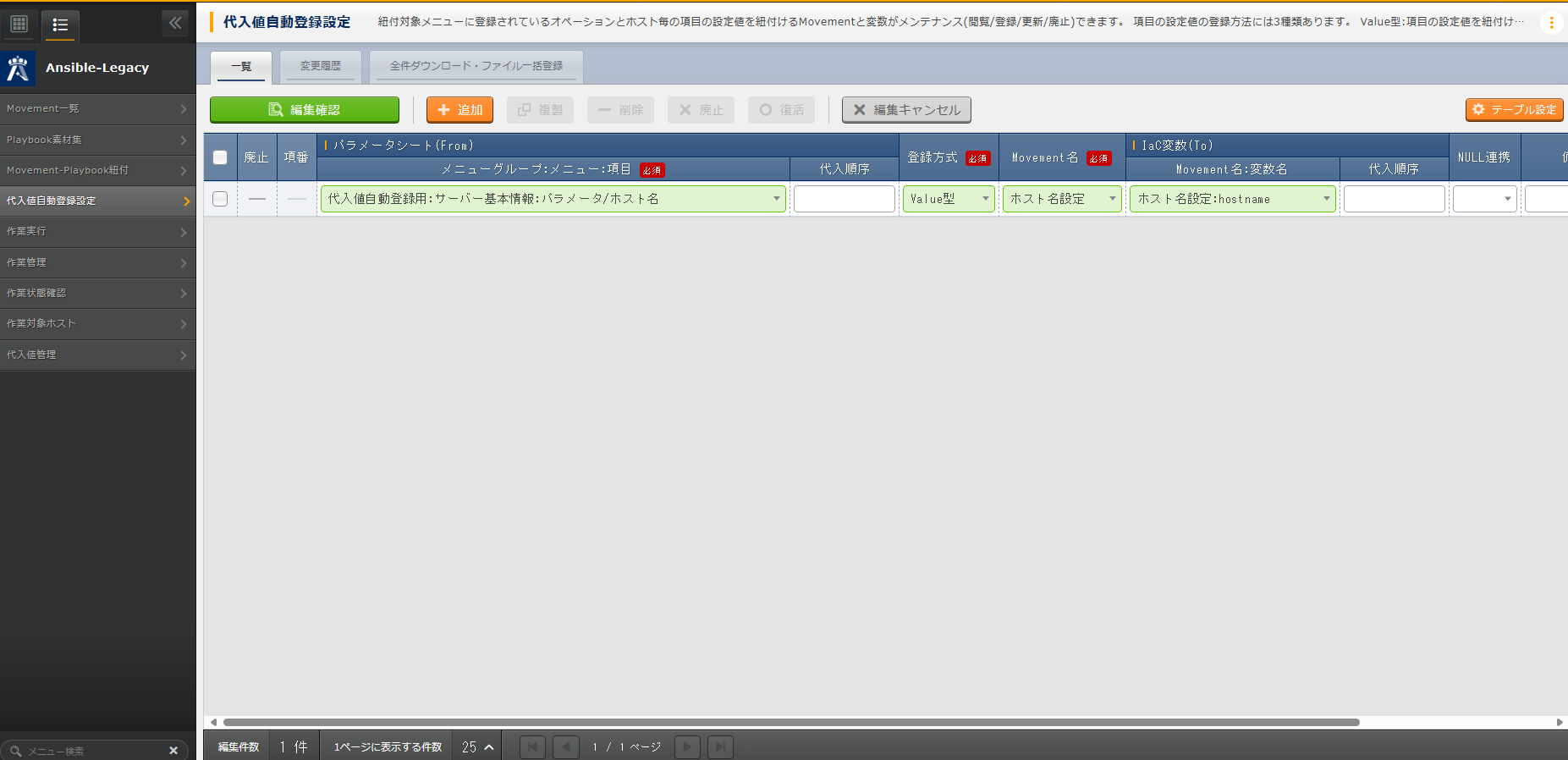
Parameter Sheet(From) |
Registration Method |
Movement Name |
IaC Variable(To) |
|---|---|---|---|
Menu Group:Menu:Item |
Movement Name:Variable Name |
||
For Automatic Value Registration:Server Basic Information:Hostname |
Value Type |
Hostname Settings |
Hostname Settings:hostname |
Register Devices
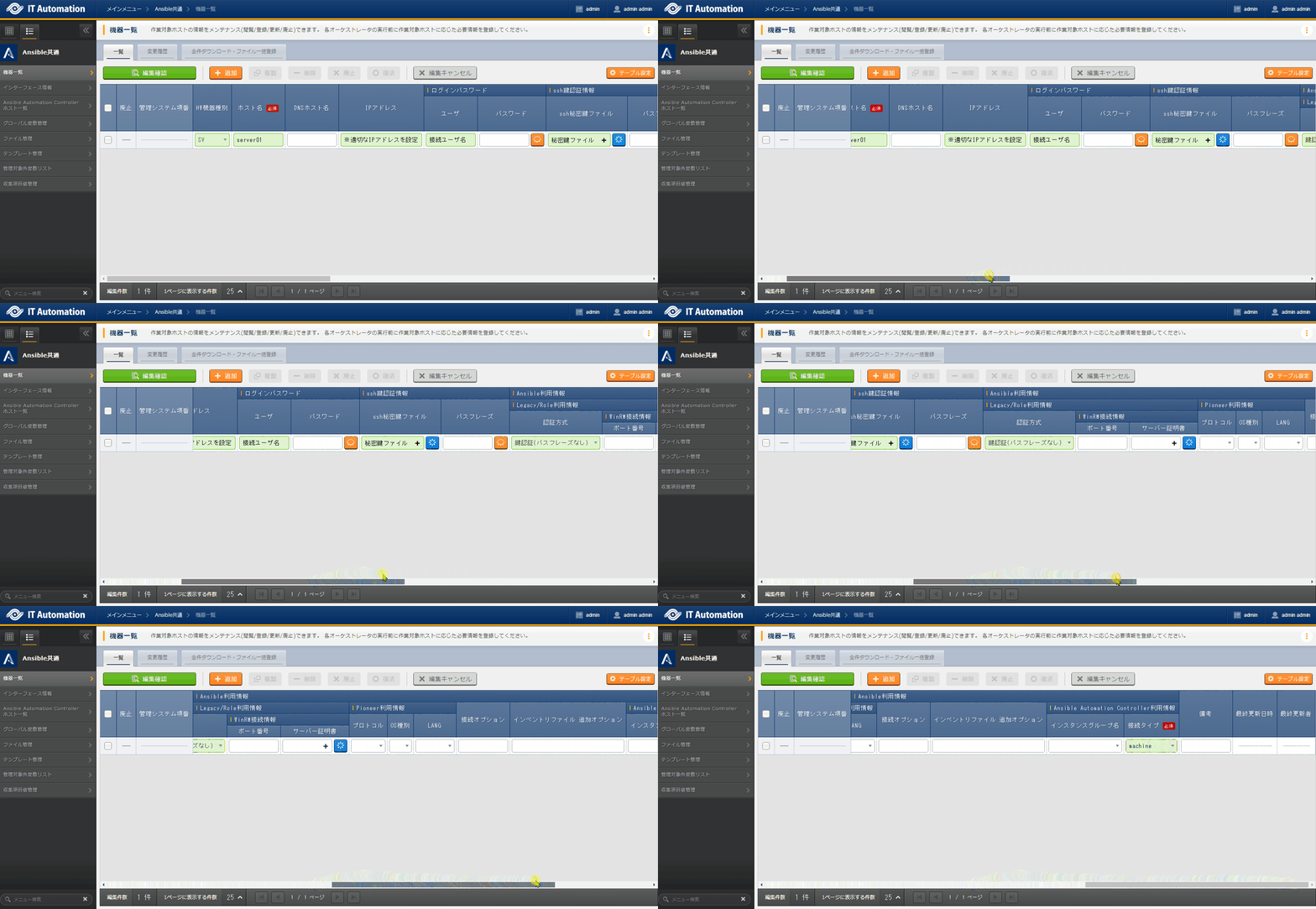
HW Device Type |
Host Name |
IP Address |
Login Password |
SSH Key Authentication Information |
Ansible Usage Information |
|---|---|---|---|---|---|
User |
SSH Private Key File |
Legacy/Role Usage Information |
|||
Authentication Method |
|||||
SV |
server01 |
192.168.0.1 *Set a proper IP address |
Connection Username |
(Private Key File) |
Key Authentication(No Passphrase) |
Tip
In this scenario, we’ll use key authentication, but you can also use password authentication. Please change the authentication method as needed, depending on how you log in to the target server.
Repetitive task (1st time)
Before we consider the specific parameter settings and work procedures, we’ll start by creating a work plan. First, let’s briefly organize the key information: what to do, how to do it, when to do it, and which devices to do it on.
Execution Date And Time |
2024/04/01 12:00:00 |
Target |
Target Server(RHEL8) |
Work Details |
Hostname Change |
Register Operation Overview (1st time)
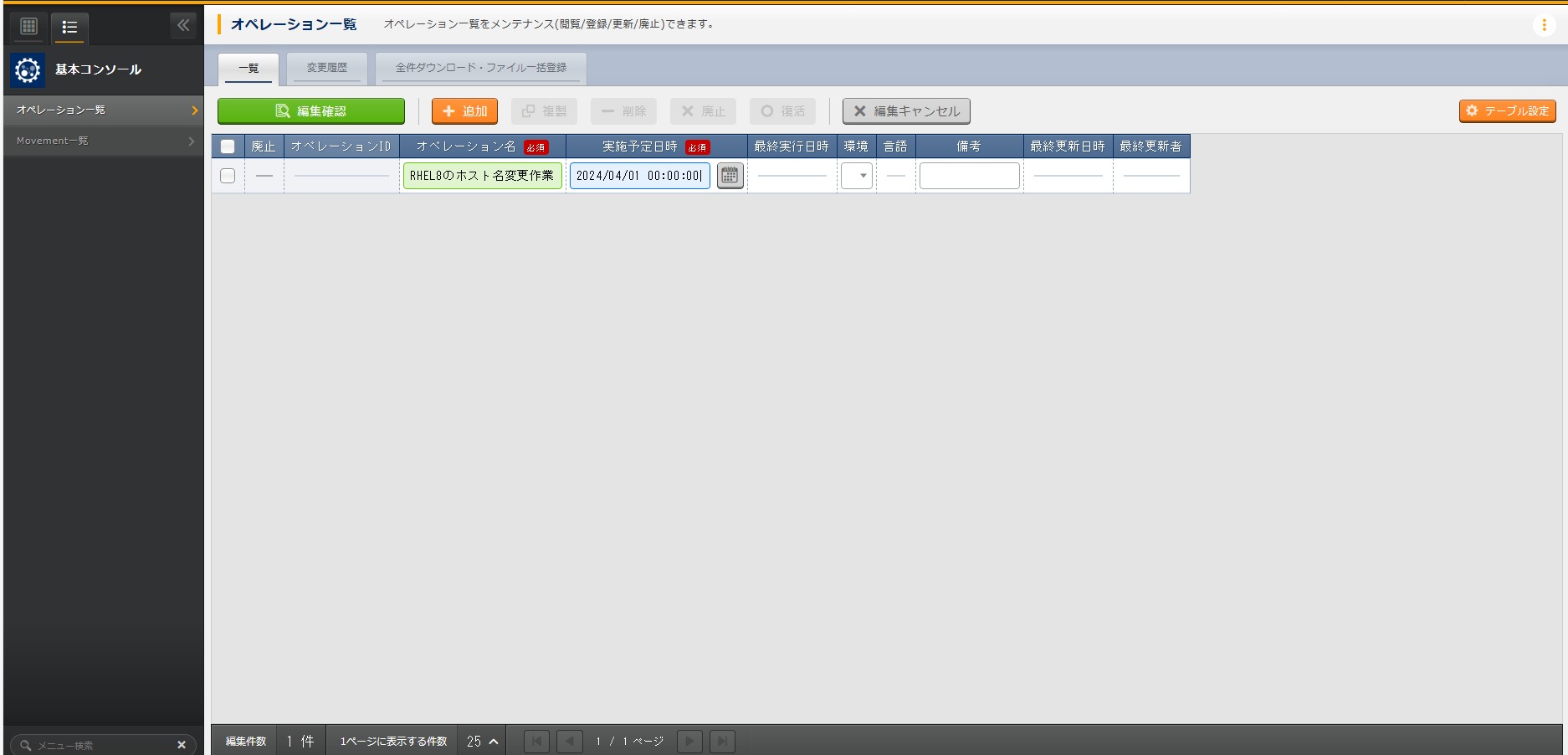
Operation Name |
Execution Schedule |
|---|---|
RHEL8 Hostname Change Task |
2024/04/01 12:00:00 |
Tip
Set Parameters (1st time)
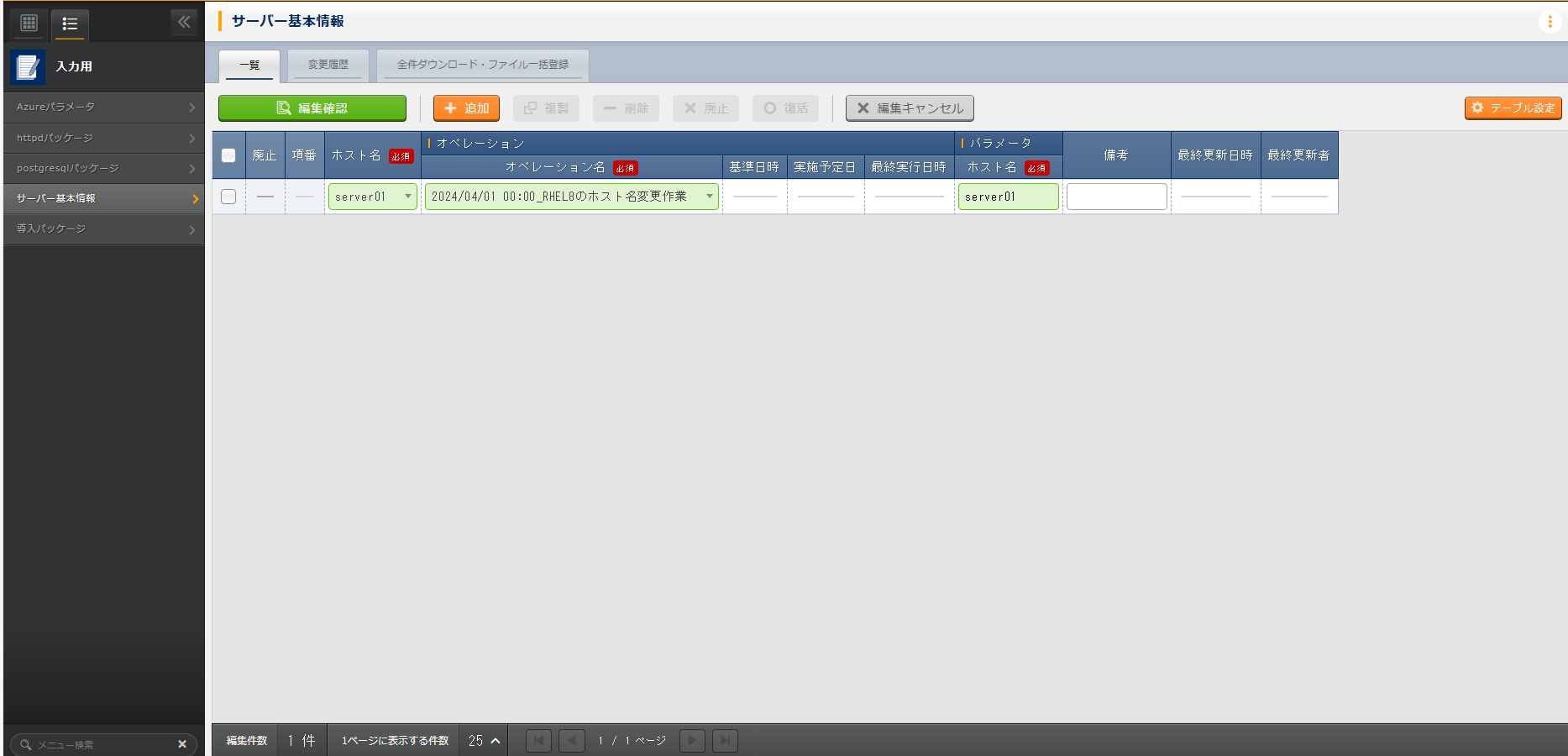
Host Name |
Operation |
Parameters |
|---|---|---|
Operation Name |
Host Name |
|
server01 |
2024/04/01 12:00:00_RHEL8 Hostname Change Task |
server01 |
Execute Task (1st time)
Pre-execution Check
First, let’s check the current status of the server.Log in to the target server via SSH and check the current hostname.# Getting the Hostname hostnamectl status --static
# The results will differ between environments.
localhost
Task Execution
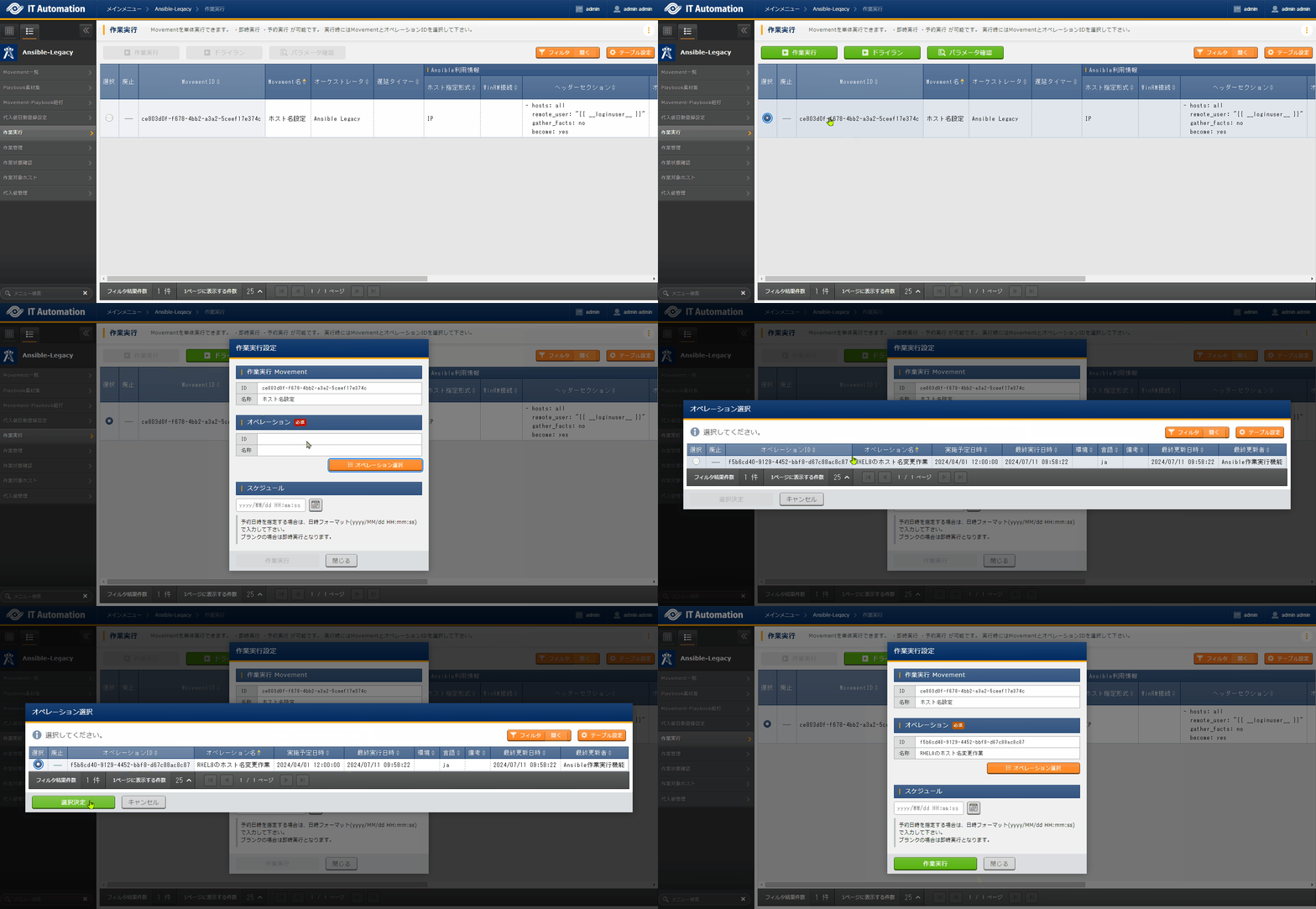
, select the Setting the Hostname Movement, then click Task Execution.Next, in , select RHEL8 Hostname Change Task for the operation, and click Confirm Selection.Finally, review the execution details and click Confirm Selection.After the screen opens and the execution is complete, verify that the status has changed to ‘Completed’.
Post-check
Log in to the target server via SSH again and verify that the hostname has been changed.# Getting the Hostname hostnamectl status --static
server01
Repetitive task (2nd time)
Before considering specific parameter settings or task procedures, start by creating a work plan. First, let’s briefly organize the information: when, on which device, what will be done, and how it will be carried out.
Execution Schedule |
2024/05/01 12:00:00 |
Target of the Task |
Target Server(RHEL8) |
Task Details |
Hostname Update |
Register Operation Overview (2nd time)
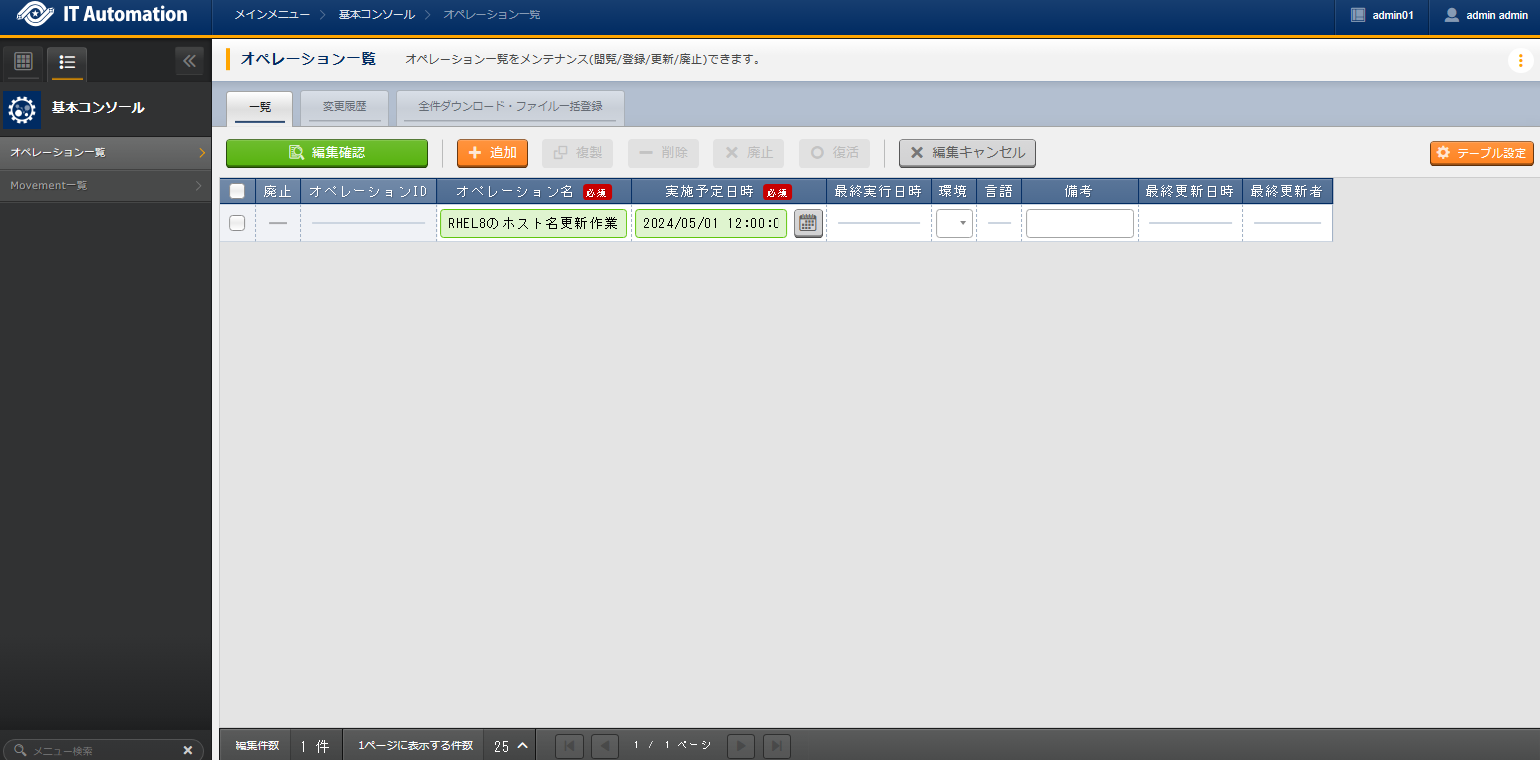
Operation Name |
Scheduled Date and Time |
|---|---|
RHEL8 Hostname Update Operation |
2024/05/01 12:00:00 |
Tip
Set Parameters (2nd time)
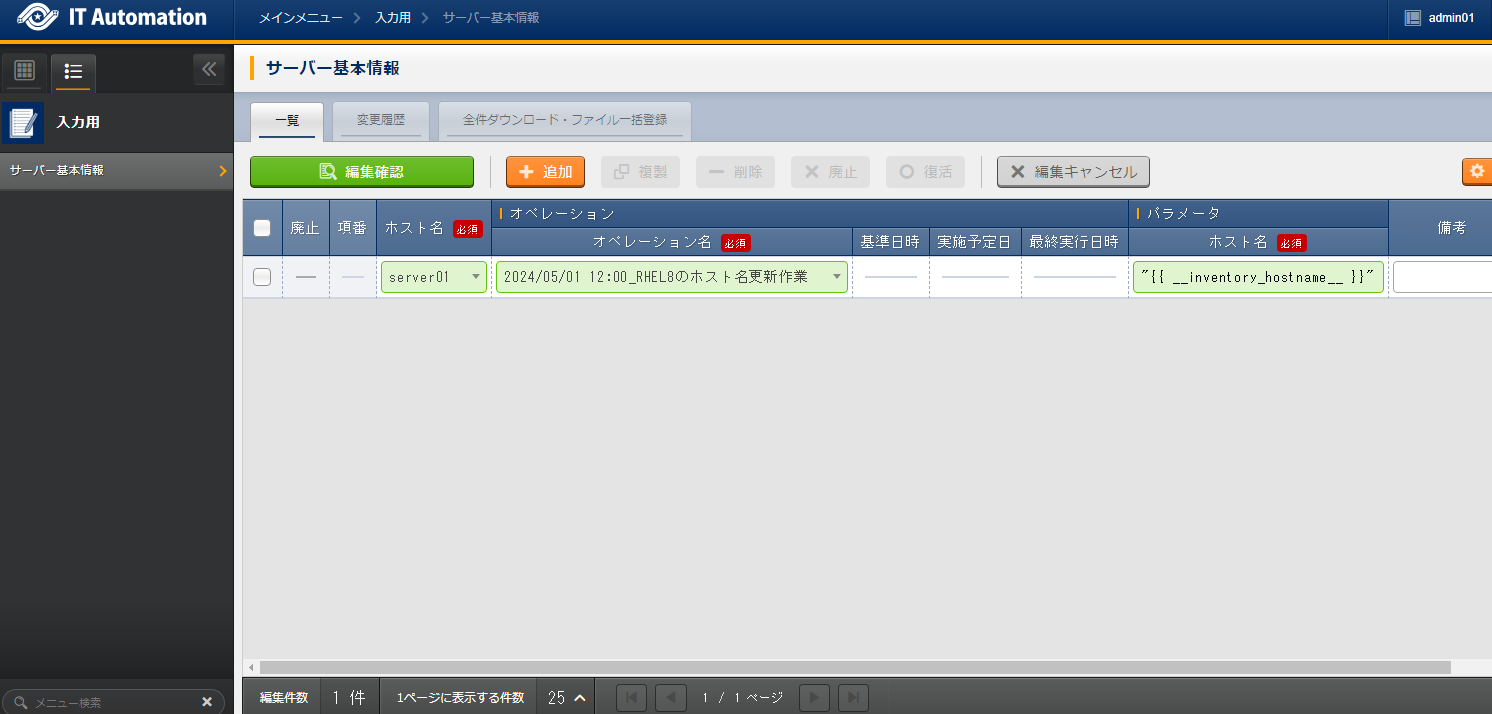
Host Name |
Operation |
Parameter |
|---|---|---|
Operation Name |
Host Name |
|
server01 |
2024/05/01 12:00:00_RHEL8 Hostname Update Operation |
"{{ __inventory_hostname__ }}" |
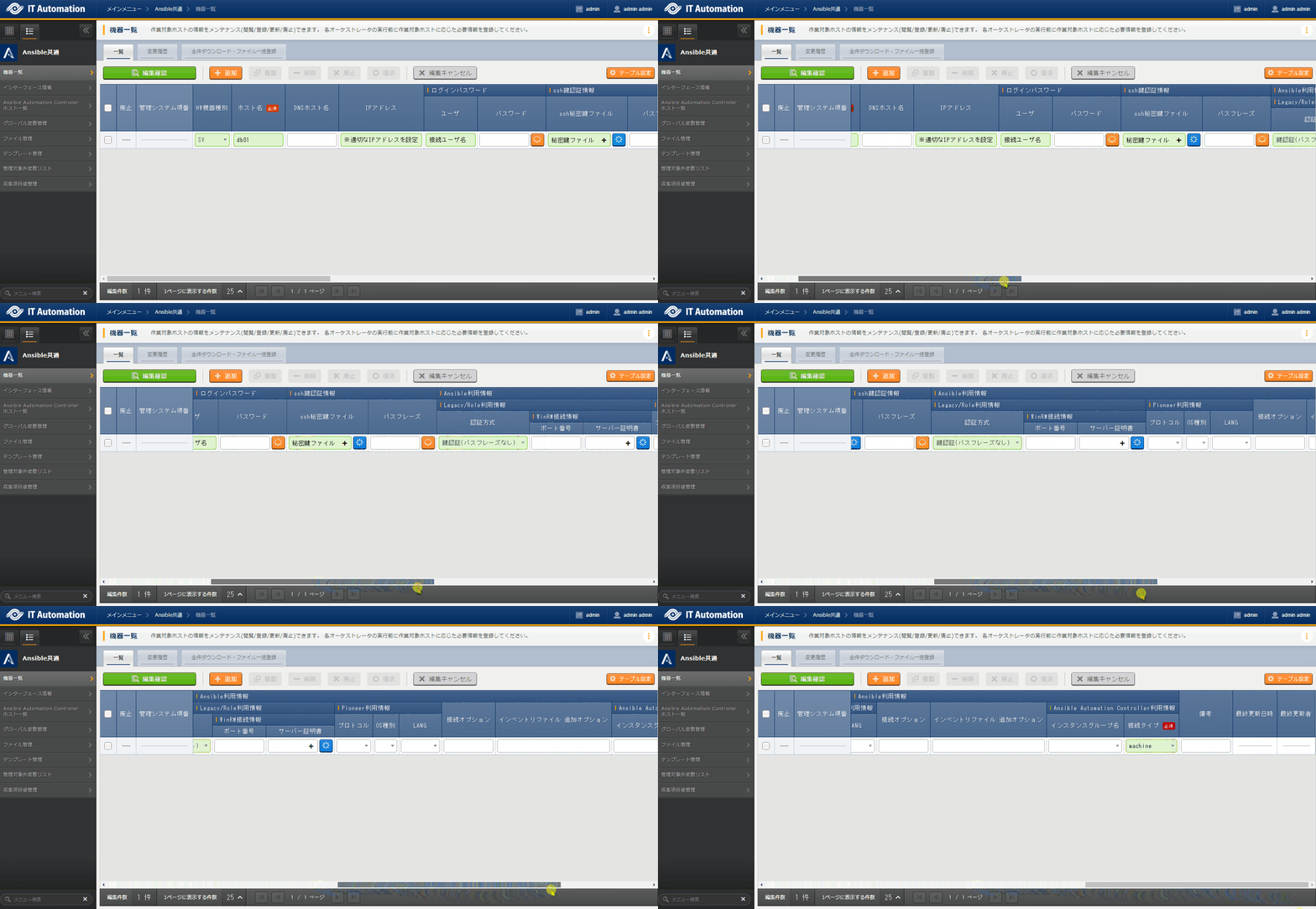
HWDevice Type |
Host Name |
IP Address |
Login Password |
ssh Authentication Key Info |
Ansible Configuration Information |
|---|---|---|---|---|---|
User |
ssh Authentication Key Info |
Linkegacy/Role Usage Information |
|||
Authentication Method |
|||||
SV |
db01 |
192.168.0.1 *Set the appropriate IP address |
Connection Username |
(Private Key File) |
Key Authentication(No Passphrase) |
Execute Task (2nd time)
Execute Task
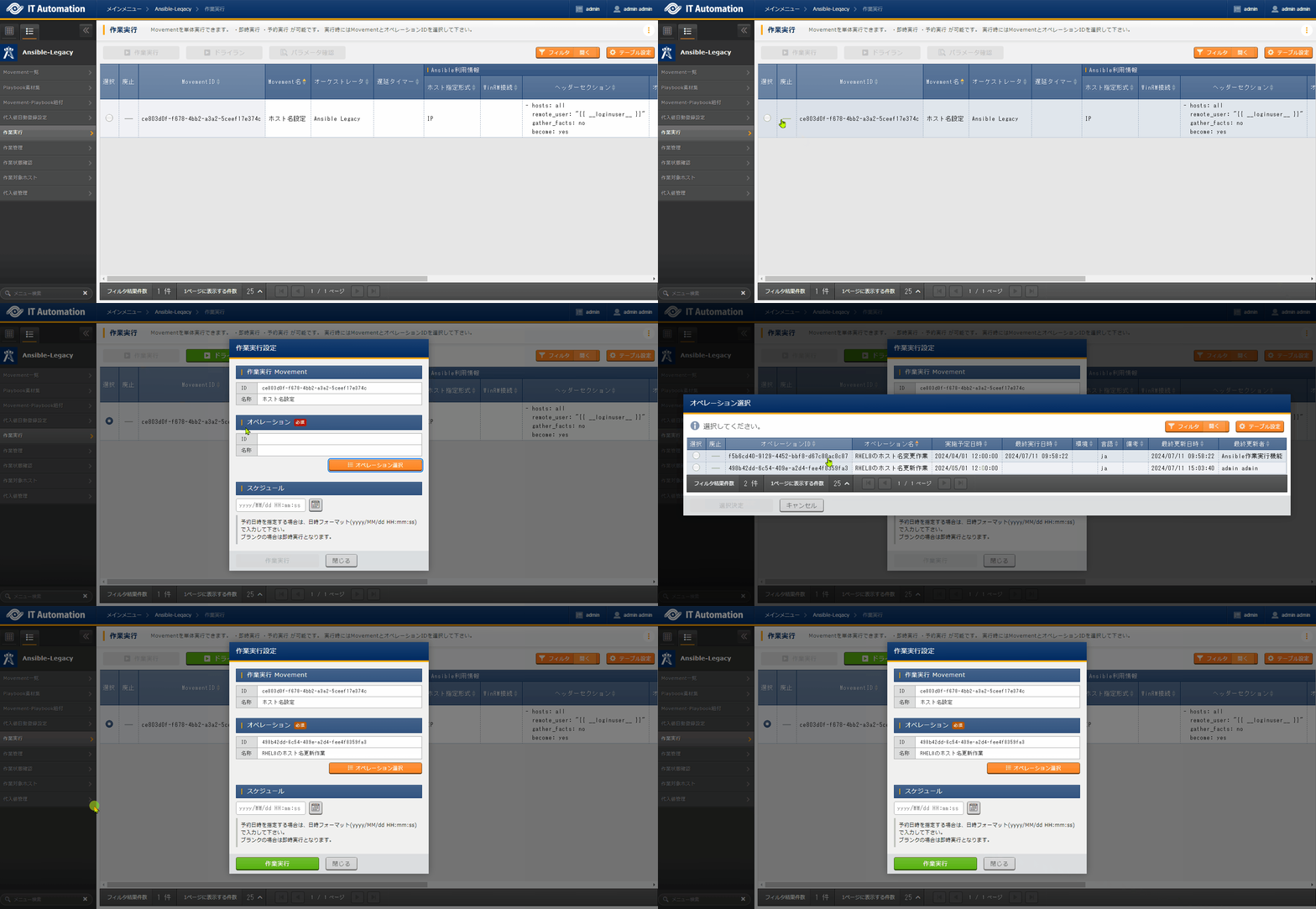
In , select the Host Name Setting Movement, and click Working execution to run the task.Next, in , select the RHEL8 Hostname Update Task operation, then click Decision to select.Finally, review the execution detail, then click Working execution.Open the , after the execution is complete, confirm that the status has changed to “Completed.”
Post-Execution Check
Log in to the server again via SSH and verify that the hostname has been changed.# Getting the Hostname hostnamectl status --static
db01