
Helm chart (Kubernetes) - Online
Introduction
Features
Prerequisites
Client requirements
The following describes confirmed compatible client application as well as their versions.Table 1 Client requirements¶ Application
Version
Helm
v3.9.x
kubectl
1.23
Deploy environment
The following describes confirmed compatible operation systems as well as their versions.Table 2 Hardware requirements (minimum requirements)¶ Resource type
Required resource
CPU
2 Cores (3.0 GHz, x86_64)
Memory
4GB
Storage (Container image size)
10GB
Kubernetes (Container image size)
1.23 or later
Table 3 Hardware requirements (Recommended requirements)¶ Resource type
Required resource
CPU
4 Cores (3.0 GHz, x86_64)
Memory
16GB
Storage (Container image size)
120GB
Kubernetes (Container image size)
1.23 or later
Warning
The required resources for the minimum configuration are for Exastro IT Automation’s core functions. Additional resources will be required if you are planning to deploy external systems, such as GitLab and Ansible Automation Platform.Users will have to prepare an additional storage area if they wish to persist databases or files.The storage space is only an estimate and varies based on the user’s needs. Make sure to take that into account when securing storage space.Communication Protocols
The client must be able to access the deploying container environment.
The user will need 2 ports. One for the Platform administrator and one for normal users.
The user must be able to connect to Docker Hub in order to acquire the container image from the container environment.
External components
MariaDB or MySQL server
Must be able to create Gitlab accounts and repositories.
Warning
If the user is construcing the GitLab environment on the same cluster, the GitLab’s minimum system requirements changes in order to support the additional load.If the user is construcing the Database environment on the same cluster, the Database’s minimum system requirements changes in order to support the additional load.
Preparation
Register Helm repository
Shared Platform (Exastro Platform)
Exastro IT Automation
Repository |
|---|
1# Register Exastro system's Helm repository.
2helm repo add exastro https://exastro-suite.github.io/exastro-helm/ --namespace exastro
3# Update repository information
4helm repo update
Fetch default setting values
helm show values exastro/exastro > exastro.yaml
exastro.yaml
  1# Default values for Exastro.
  2# This is a YAML-formatted file.
  3# Declare variables to be passed into your templates.
  4global:
  5  itaGlobalDefinition:
  6    config:
  7      DEFAULT_LANGUAGE: "ja"
  8      LANGUAGE: "en"
  9      TZ: "Asia/Tokyo"
 10    secret:
 11      ENCRYPT_KEY: ""
 12    persistence:
 13      enabled: true
 14      accessMode: ReadWriteMany
 15      size: 10Gi
 16      volumeType: hostPath # e.g.) hostPath or AKS
 17      storageClass: "-" # e.g.) azurefile or - (None)
 18      # matchLabels:
 19      #   release: "stable"
 20      # matchExpressions:
 21      #   - {key: environment, operator: In, values: [dev]}
 22  itaDatabaseDefinition:
 23    config:
 24      DB_VENDOR: "mariadb"
 25      DB_HOST: "mariadb"
 26      DB_PORT: "3306"
 27      DB_DATABASE: "ITA_DB"
 28    secret:
 29      DB_ADMIN_USER: "root"
 30      DB_ADMIN_PASSWORD: "Ch@ngeMeDBAdm"
 31      DB_USER: "ITA_USER"
 32      DB_PASSWORD: "Ch@ngeMeITADB"
 33  pfGlobalDefinition:
 34    config:
 35      DEFAULT_LANGUAGE: "ja"
 36      LANGUAGE: "en"
 37      TZ: "Asia/Tokyo"
 38      # Please set the URL to access
 39      EXTERNAL_URL: ""
 40      EXTERNAL_URL_MNG: ""
 41    secret:
 42      ENCRYPT_KEY: ""
 43  pfAuditLogDefinition:
 44    name: pf-auditlog
 45    persistence:
 46      enabled: false
 47      reinstall: false
 48      accessMode: ReadWriteMany
 49      size: 10Gi
 50      volumeType: hostPath # e.g.) hostPath or AKS
 51      storageClass: "-" # e.g.) azurefile or - (None)
 52      # matchLabels:
 53      #   release: "stable"
 54      # matchExpressions:
 55      #   - {key: environment, operator: In, values: [dev]}
 56  pfDatabaseDefinition:
 57    config:
 58      DB_VENDOR: "mariadb"
 59      DB_HOST: "mariadb"
 60      DB_PORT: "3306"
 61      DB_DATABASE: "platform"
 62    secret:
 63      DB_ADMIN_USER: "root"
 64      DB_ADMIN_PASSWORD: "Ch@ngeMeDBAdm"
 65      DB_USER: "pf-user"
 66      DB_PASSWORD: "Ch@ngeMePFDB"
 67  keycloakDefinition:
 68    secret:
 69      SYSTEM_ADMIN: "admin"
 70      SYSTEM_ADMIN_PASSWORD: "Ch@ngeMeKCAdm"
 71      KEYCLOAK_DB_USER: "keycloak"
 72      KEYCLOAK_DB_PASSWORD: "Ch@ngeMeKCADB"
 73  gitlabDefinition:
 74    config:
 75      GITLAB_PROTOCOL: "http"
 76      GITLAB_HOST: "" # "gitlab" if use container.
 77      GITLAB_PORT: "8080"
 78    secret:
 79      GITLAB_ROOT_PASSWORD: "Ch@ngeMeGL"
 80      GITLAB_ROOT_TOKEN: "change-this-token"
 81  mongoDefinition:
 82    config:
 83      MONGO_PROTOCOL: "http"
 84      MONGO_HOST: "mongo" # "mongo" if use container.
 85      MONGO_PORT: "27017"
 86    secret:
 87      MONGO_ADMIN_USER: "admin"
 88      MONGO_ADMIN_PASSWORD: "Ch@ngeMeMGAdm"
 89
 90exastro-it-automation:
 91  ita-api-admin:
 92    replicaCount: 1
 93    image:
 94      repository: "docker.io/exastro/exastro-it-automation-api-admin"
 95      tag: ""
 96      pullPolicy: IfNotPresent
 97    extraEnv:
 98      PLATFORM_API_HOST: "platform-api"
 99      PLATFORM_API_PORT: "8000"
100
101  ita-api-organization:
102    replicaCount: 1
103    image:
104      repository: "docker.io/exastro/exastro-it-automation-api-organization"
105      tag: ""
106      pullPolicy: IfNotPresent
107    extraEnv:
108      PLATFORM_API_HOST: "platform-api"
109      PLATFORM_API_PORT: "8000"
110
111  ita-api-oase-receiver:
112    replicaCount: 1
113    image:
114      repository: "docker.io/exastro/exastro-it-automation-api-oase-receiver"
115      tag: ""
116      pullPolicy: IfNotPresent
117    extraEnv:
118      LISTEN_PORT: "8000"
119      PLATFORM_API_HOST: "platform-api"
120      PLATFORM_API_PORT: "8000"
121
122  ita-api-ansible-execution-receiver:
123    replicaCount: 1
124    image:
125      repository: "docker.io/exastro/exastro-it-automation-api-ansible-execution-receiver"
126      tag: ""
127      pullPolicy: IfNotPresent
128    extraEnv:
129      LISTEN_PORT: "8000"
130      PLATFORM_API_HOST: "platform-api"
131      PLATFORM_API_PORT: "8000"
132
133  ita-by-ansible-execute:
134    replicaCount: 1
135    image:
136      repository: "docker.io/exastro/exastro-it-automation-by-ansible-execute"
137      tag: ""
138      pullPolicy: IfNotPresent
139    extraEnv:
140      EXECUTE_INTERVAL: "3"
141      ANSIBLE_AGENT_IMAGE: "docker.io/exastro/exastro-it-automation-by-ansible-agent"
142      ANSIBLE_AGENT_IMAGE_TAG: ""
143      PLATFORM_API_HOST: "platform-api"
144      PLATFORM_API_PORT: "8000"
145    serviceAccount:
146      create: false
147      name: "ita-by-ansible-execute-sa"
148
149  ita-by-ansible-legacy-role-vars-listup:
150    replicaCount: 1
151    extraEnv:
152      EXECUTE_INTERVAL: "10"
153      PLATFORM_API_HOST: "platform-api"
154      PLATFORM_API_PORT: "8000"
155    image:
156      repository: "docker.io/exastro/exastro-it-automation-by-ansible-legacy-role-vars-listup"
157      tag: ""
158      pullPolicy: IfNotPresent
159
160  ita-by-ansible-legacy-vars-listup:
161    replicaCount: 1
162    extraEnv:
163      EXECUTE_INTERVAL: "10"
164      PLATFORM_API_HOST: "platform-api"
165      PLATFORM_API_PORT: "8000"
166    image:
167      repository: "docker.io/exastro/exastro-it-automation-by-ansible-legacy-vars-listup"
168      tag: ""
169      pullPolicy: IfNotPresent
170
171  ita-by-ansible-pioneer-vars-listup:
172    replicaCount: 1
173    extraEnv:
174      EXECUTE_INTERVAL: "10"
175      PLATFORM_API_HOST: "platform-api"
176      PLATFORM_API_PORT: "8000"
177    image:
178      repository: "docker.io/exastro/exastro-it-automation-by-ansible-pioneer-vars-listup"
179      tag: ""
180      pullPolicy: IfNotPresent
181
182  ita-by-ansible-towermaster-sync:
183    replicaCount: 1
184    extraEnv:
185      EXECUTE_INTERVAL: "10"
186      PLATFORM_API_HOST: "platform-api"
187      PLATFORM_API_PORT: "8000"
188    image:
189      repository: "docker.io/exastro/exastro-it-automation-by-ansible-towermaster-sync"
190      tag: ""
191      pullPolicy: IfNotPresent
192
193  ita-by-cicd-for-iac:
194    replicaCount: 1
195    extraEnv:
196      EXECUTE_INTERVAL: "10"
197      PLATFORM_API_HOST: "platform-api"
198      PLATFORM_API_PORT: "8000"
199    image:
200      repository: "docker.io/exastro/exastro-it-automation-by-cicd-for-iac"
201      tag: ""
202      pullPolicy: IfNotPresent
203
204  ita-by-collector:
205    replicaCount: 1
206    extraEnv:
207      EXECUTE_INTERVAL: "10"
208      PLATFORM_API_HOST: "platform-api"
209      PLATFORM_API_PORT: "8000"
210    image:
211      repository: "docker.io/exastro/exastro-it-automation-by-collector"
212      tag: ""
213      pullPolicy: IfNotPresent
214
215  ita-by-conductor-regularly:
216    replicaCount: 1
217    extraEnv:
218      EXECUTE_INTERVAL: "10"
219      PLATFORM_API_HOST: "platform-api"
220      PLATFORM_API_PORT: "8000"
221    image:
222      repository: "docker.io/exastro/exastro-it-automation-by-conductor-regularly"
223      tag: ""
224      pullPolicy: IfNotPresent
225
226  ita-by-conductor-synchronize:
227    replicaCount: 1
228    extraEnv:
229      EXECUTE_INTERVAL: "3"
230      PLATFORM_API_HOST: "platform-api"
231      PLATFORM_API_PORT: "8000"
232    image:
233      repository: "docker.io/exastro/exastro-it-automation-by-conductor-synchronize"
234      tag: ""
235      pullPolicy: IfNotPresent
236
237  ita-by-excel-export-import:
238    replicaCount: 1
239    extraEnv:
240      EXECUTE_INTERVAL: "10"
241      PLATFORM_API_HOST: "platform-api"
242      PLATFORM_API_PORT: "8000"
243    image:
244      repository: "docker.io/exastro/exastro-it-automation-by-excel-export-import"
245      tag: ""
246      pullPolicy: IfNotPresent
247
248  ita-by-execinstance-dataautoclean:
249    replicaCount: 1
250    extraEnv:
251      EXECUTE_INTERVAL: "10"
252      PLATFORM_API_HOST: "platform-api"
253      PLATFORM_API_PORT: "8000"
254    image:
255      repository: "docker.io/exastro/exastro-it-automation-by-execinstance-dataautoclean"
256      tag: ""
257      pullPolicy: IfNotPresent
258
259  ita-by-file-autoclean:
260    replicaCount: 1
261    extraEnv:
262      EXECUTE_INTERVAL: "10"
263      PLATFORM_API_HOST: "platform-api"
264      PLATFORM_API_PORT: "8000"
265    image:
266      repository: "docker.io/exastro/exastro-it-automation-by-file-autoclean"
267      tag: ""
268      pullPolicy: IfNotPresent
269
270  ita-by-hostgroup-split:
271    replicaCount: 1
272    extraEnv:
273      EXECUTE_INTERVAL: "10"
274      PLATFORM_API_HOST: "platform-api"
275      PLATFORM_API_PORT: "8000"
276    image:
277      repository: "docker.io/exastro/exastro-it-automation-by-hostgroup-split"
278      tag: ""
279      pullPolicy: IfNotPresent
280
281  ita-by-menu-create:
282    replicaCount: 1
283    extraEnv:
284      EXECUTE_INTERVAL: "10"
285      PLATFORM_API_HOST: "platform-api"
286      PLATFORM_API_PORT: "8000"
287    image:
288      repository: "docker.io/exastro/exastro-it-automation-by-menu-create"
289      tag: ""
290      pullPolicy: IfNotPresent
291
292  ita-by-menu-export-import:
293    replicaCount: 1
294    extraEnv:
295      EXECUTE_INTERVAL: "10"
296      PLATFORM_API_HOST: "platform-api"
297      PLATFORM_API_PORT: "8000"
298    image:
299      repository: "docker.io/exastro/exastro-it-automation-by-menu-export-import"
300      tag: ""
301      pullPolicy: IfNotPresent
302
303  ita-by-oase-conclusion:
304    replicaCount: 1
305    extraEnv:
306      EXECUTE_INTERVAL: "10"
307      PLATFORM_API_HOST: "platform-api"
308      PLATFORM_API_PORT: "8000"
309    image:
310      repository: "docker.io/exastro/exastro-it-automation-by-oase-conclusion"
311      tag: ""
312      pullPolicy: IfNotPresent
313
314  ita-by-terraform-cli-execute:
315    replicaCount: 1
316    extraEnv:
317      EXECUTE_INTERVAL: "3"
318      PLATFORM_API_HOST: "platform-api"
319      PLATFORM_API_PORT: "8000"
320    image:
321      repository: "docker.io/exastro/exastro-it-automation-by-terraform-cli-execute"
322      tag: ""
323      pullPolicy: IfNotPresent
324
325  ita-by-terraform-cli-vars-listup:
326    replicaCount: 1
327    extraEnv:
328      EXECUTE_INTERVAL: "10"
329      PLATFORM_API_HOST: "platform-api"
330      PLATFORM_API_PORT: "8000"
331    image:
332      repository: "docker.io/exastro/exastro-it-automation-by-terraform-cli-vars-listup"
333      tag: ""
334      pullPolicy: IfNotPresent
335
336  ita-by-terraform-cloud-ep-execute:
337    replicaCount: 1
338    extraEnv:
339      EXECUTE_INTERVAL: "3"
340      PLATFORM_API_HOST: "platform-api"
341      PLATFORM_API_PORT: "8000"
342    image:
343      repository: "docker.io/exastro/exastro-it-automation-by-terraform-cloud-ep-execute"
344      tag: ""
345      pullPolicy: IfNotPresent
346
347  ita-by-terraform-cloud-ep-vars-listup:
348    replicaCount: 1
349    extraEnv:
350      EXECUTE_INTERVAL: "10"
351      PLATFORM_API_HOST: "platform-api"
352      PLATFORM_API_PORT: "8000"
353    image:
354      repository: "docker.io/exastro/exastro-it-automation-by-terraform-cloud-ep-vars-listup"
355      tag: ""
356      pullPolicy: IfNotPresent
357
358  ita-web-server:
359    replicaCount: 1
360    image:
361      repository: "docker.io/exastro/exastro-it-automation-web-server"
362      tag: ""
363      pullPolicy: IfNotPresent
364
365  ita-migration:
366    extraEnv:
367      PLATFORM_API_HOST: "platform-api"
368      PLATFORM_API_PORT: "8000"
369    image:
370      repository: "docker.io/exastro/exastro-it-automation-migration"
371      tag: ""
372      pullPolicy: IfNotPresent
373
374exastro-platform:
375  platform-api:
376    image:
377      repository: "docker.io/exastro/exastro-platform-api"
378      tag: ""
379
380  platform-auth:
381    extraEnv: {}
382    ingress:
383      enabled: true
384      hosts:
385        - host: exastro-suite.example.local
386          paths:
387            - path: /
388              pathType: Prefix
389              backend: "http"
390        - host: exastro-suite-mng.example.local
391          paths:
392            - path: /
393              pathType: Prefix
394              backend: "httpMng"
395      tls: []
396        # - secretName: chart-example-tls
397        #   hosts:
398        #     - chart-example.local
399      secrets: []
400        # - name: chart-example-tls
401        #   certificate: |-
402        #     -----BEGIN CERTIFICATE-----
403        #     ...
404        #     -----END CERTIFICATE-----
405        #   key: |-
406        #     -----BEGIN PRIVATE KEY-----
407        #     ...
408        #     -----END PRIVATE KEY-----
409    service:
410      type: ClusterIP
411      # http:
412      #   nodePort: 30080
413      # httpMng:
414      #   nodePort: 30081
415    image:
416      repository: "docker.io/exastro/exastro-platform-auth"
417      tag: ""
418
419  platform-job:
420    extraEnv:
421      # LOG_LEVEL: "INFO"
422      # SUB_PROCESS_TERMINATE_REQUEST_SECONDS: "1800"
423      # SUB_PROCESS_ACCEPTABLE: "2"
424      # SUB_PROCESS_MAX_JOBS: "10"
425      # SUB_PROCESS_WATCH_INTERVAL_SECONDS: "1.0"
426      # SUB_PROCESS_DB_RECONNECT_INTERVAL_SECONDS: "60"
427      # SUB_PROCESS_DB_HEALTH_CHECK_INTERVAL_SECONDS: "5"
428      # SUB_PROCESS_MAX_CANCEL_TIMEOUT: "10"
429      # JOB_STATUS_WATCH_INTERVAL_SECONDS: "1.0"
430      # JOB_CANCEL_TIMEOUT_SECONDS: "5.0"
431      # JOB_NOTIFICATION_TIMEOUT_SECONDS: "20"
432      # JOB_NOTIFICATION_TEAMS_CONNECTION_TIMEOUT: "3.0"
433      # JOB_NOTIFICATION_TEAMS_READ_TIMEOUT: "10.0"
434      # JOB_NOTIFICATION_SMTP_TIMEOUT: "10.0"
435      # JOB_NOTIFICATION_SMTPS_SSL_VERIFY_ENABLED: "TRUE"
436      # JOB_FORCE_UPDATE_STATUS_TIMEOUT_SECONDS: "60"
437      # JOB_FORCE_UPDATE_STATUS_INTERVAL_SECONDS: "180"
438      # JOB_FORCE_UPDATE_STATUS_PROGRASS_SECONDS: "600"
439    image:
440      repository: "docker.io/exastro/exastro-platform-job"
441      tag: ""
442
443  platform-migration:
444    image:
445      repository: "docker.io/exastro/exastro-platform-migration"
446      tag: ""
447
448  platform-web:
449    image:
450      repository: "docker.io/exastro/exastro-platform-web"
451      tag: ""
452
453  mariadb:
454    enabled: true
455    image:
456      repository: "docker.io/mariadb"
457      tag: "10.11"
458      pullPolicy: IfNotPresent
459    imagePullSecrets: []
460    persistence:
461      enabled: true
462      accessMode: ReadWriteOnce
463      size: 20Gi
464      storageClass: "-" # e.g.) azurefile or - (None)
465      matchLabels:
466        name: pv-database
467      matchExpressions:
468        # - {key: name, operator: In, values: [pv-database]}
469    dbSetup:
470      dbConfInfo:
471        name: mysql-server-conf-config
472        customCnf: |-
473          [mysqld]
474          character-set-server=utf8mb4
475          collation-server=utf8mb4_bin
476          secure_file_priv=/tmp
477          lower_case_table_names=1
478          [client]
479          default-character-set=utf8mb4
480    resources:
481      requests:
482        memory: "256Mi"
483        cpu: "1m"
484      limits:
485        memory: "2Gi"
486        cpu: "4"
487
488  keycloak:
489    enabled: true
490    image:
491      repository: "docker.io/exastro/keycloak"
492      tag: ""
493      pullPolicy: IfNotPresent
494    extraEnv:
495      # If you use Azure MySQL, add options like below
496      # KC_DB_URL_PROPERTIES: "?useSSL=false"
497    resources: {}
498      # requests:
499      #   memory: "256Mi"
500      #   cpu: "1m"
501      # limits:
502      #   memory: "2Gi"
503      #   cpu: "4"
504
505  gitlab:
506    enabled: false
507    extraEnv:
508      GITLAB_OMNIBUS_CONFIG: |
509        postgresql['shared_buffers'] = "2048MB"
510        postgresql['work_mem'] = "128MB"
511        postgresql['maintenance_work_mem'] = "128MB"
512        postgresql['effective_cache_size'] = "128MB"
513        postgresql['checkpoint_segments'] = 16
514        postgresql['checkpoint_timeout'] = "10min"
515        external_url 'http://gitlab:40080'
516        nginx['listen_port'] = 40080
517        gitlab_rails['initial_root_password'] = "${GITLAB_ROOT_PASSWORD:-}"
518        gitlab_rails['registry_enabled'] = false;
519        gitlab_rails['db_prepared_statements'] = false;
520        gitlab_rails['monitoring_whitelist'] = ['0.0.0.0/0']
521        # gitlab_rails['env'] = {'MALLOC_CONF' => 'dirty_decay_ms:1000,muzzy_decay_ms:1000'}
522        # puma['worker_processes'] = 0
523        prometheus_monitoring['enable'] = false
524        # sidekiq['max_concurrency'] = 10
525        # gitaly['env'] = {'MALLOC_CONF' => 'dirty_decay_ms:1000,muzzy_decay_ms:1000', 'GITALY_COMMAND_SPAWN_MAX_PARALLEL' => '2'}
526      GITLAB_POST_RECONFIGURE_SCRIPT: |
527        while ! curl -sfI -o /dev/null http://localhost:40080/-/readiness;
528        do
529        echo "GitLab service is not ready."
530        sleep 1
531        done
532        echo "GitLab service started normally"
533        curl -Ssf -H "PRIVATE-TOKEN: ${GITLAB_ROOT_TOKEN:-}" "http://localhost:40080/api/v4/version" || (
534          gitlab-rails runner "token = User.find_by_username('root').personal_access_tokens.create(scopes: [:api, :write_repository, :sudo], name: 'exastro system token'); token.set_token('${GITLAB_ROOT_TOKEN:-}'); token.save!"
535        )
536        echo "GitLab post reconfigure script ended."
537    image:
538      repository: "docker.io/gitlab/gitlab-ce"
539      tag: "15.11.13-ce.0"
540      pullPolicy: IfNotPresent
541      # Overrides the image tag whose default is the chart appVersion.
542    persistence:
543      enabled: true
544      volumeName: pv-gitlab
545      accessMode: ReadWriteMany
546      size: 20Gi
547      storageClass: "-" # e.g.) azurefile or - (None)
548      matchLabels:
549        name: pv-gitlab
550      matchExpressions:
551        # - {key: name, operator: In, values: [pv-gitlab]}
552    resources: {}
553      # requests:
554      #   memory: "4Gi"
555      #   cpu: "4"
556      # limits:
557      #   memory: "8Gi"
558      #   cpu: "8"
559    service:
560      type: ClusterIP
561      name: gitlab
562      port: 40080
563      # nodePort: 30082
564
565  mongo:
566    enabled: true
567    image:
568      repository: "docker.io/mongo"
569      pullPolicy: IfNotPresent
570      # Overrides the image tag whose default is the chart appVersion.
571      tag: "6.0"
572    persistence:
573      enabled: true
574      accessMode: ReadWriteOnce
575      size: 20Gi
576      storageClass: "-" # e.g.) azurefile, local-path or - (None)
577      matchLabels:
578        # release: "pv-mongo"
579      matchExpressions:
580        # - {key: name, operator: In, values: [pv-mongo]}
581    dbSetup:
582      dbConfInfo:
583        name: mongo-server-conf-config
584        customCnf: |
585          systemLog:
586            verbosity: 0
587            # destination: file
588            # path: /root/logs/mongod.log
589            timeStampFormat: iso8601-utc
590          # storage:
591          #   directoryPerDB: true
592          #   dbPath: /root/data
593          #   engine: wiredTiger
594          #   wiredTiger:
595          #     engineConfig:
596          #       cacheSizeGB: 1
597          #   journal:
598          #     enabled: true
599          # processManagement:
600          #   fork: true
601          # net:
602          #   port: 27017
603          #   bindIp: 0.0.0.0
604          # security:
605          #   authorization: enabled
606    resources: {}
607      # requests:
608      #   memory: "4Gi"
609      #   cpu: "4"
610      # limits:
611      #   memory: "8Gi"
612      #   cpu: "4"
613    affinity:
614      podAntiAffinity:
615        requiredDuringSchedulingIgnoredDuringExecution:
616        - labelSelector:
617            matchExpressions:
618            - key: name
619              operator: In
620              values:
621              - mongo
622          topologyKey: kubernetes.io/hostname
exastro.yaml needed to install Exastro.Service publish settings
Ingress
LoadBalancer
NodePort
Note
Parameters
Parameters |
Description |
Change |
Default Value / Available Options |
|---|---|---|---|
exastro-platform.platform-auth.extraEnv.AUDIT_LOG_ENABLED |
Enable audit log output
|
Enabled |
True (Default): Output
False: Do not output
|
exastro-platform.platform-auth.extraEnv.AUDIT_LOG_PATH |
Audit log file name (file path)
|
Enabled |
exastro-audit.log (Default)
|
exastro-platform.platform-auth.extraEnv.AUDIT_LOG_FILE_MAX_BYTE |
You can specify the maximum size (in bytes) of the audit log file.
|
Enabled |
100000000 (Default)
|
exastro-platform.platform-auth.extraEnv.AUDIT_LOG_BACKUP_COUNT |
Number of backup audit log files
When the audit log file exceeds the specified maximum size (in bytes), backup files are created with the original file name appended by a ‘.’ and a number, up to the specified backup count.
|
Enabled |
30 (Default)
|
exastro-platform.platform-auth.ingress.enabled |
Whether to use Ingress in the Exastro Platform |
Enabled |
true (Default): Deploy an Ingress Controller to enable access to the Exastro Platform.
false : Do not deploy the Ingress Controller.
|
exastro-platform.platform-auth.ingress.hosts[0].host |
Hostname or FQDN of the Exastro Platform Management Console endpoint
DNS record registration is required separately
|
Enabled (When using Ingress) |
“exastro-suite.example.local” |
exastro-platform.platform-auth.ingress.hosts[0].paths[0].path |
Rules for the Management Console endpoint path in Exastro Platform |
Disabled |
“/” |
exastro-platform.platform-auth.ingress.hosts[0].paths[0].pathType |
Path match condition for the Exastro Platform Management Console endpoint |
Disabled |
“Prefix” |
exastro-platform.platform-auth.ingress.hosts[0].paths[0].backend |
Exastro Platform Management Console service name |
Disabled |
“http” |
exastro-platform.platform-auth.ingress.hosts[1].host |
Exastro Platform endpoint hostname or FQDN
A DNS record must be registered separately
|
Enabled (When using Ingress) |
“exastro-suite-mng.example.local” |
exastro-platform.platform-auth.ingress.hosts[1].paths[0].path |
Endpoint path rules for Exastro Platform |
Disabled |
“/” |
exastro-platform.platform-auth.ingress.hosts[1].paths[0].pathType |
Exastro Platform endpoint path match condition |
Disabled |
“Prefix” |
exastro-platform.platform-auth.ingress.hosts[1].paths[0].backend |
Exastro Platform endpoint service name |
Disabled |
“httpMng” |
exastro-platform.platform-auth.ingress.tls[0].secretName |
Name of the Kubernetes secret storing the SSL/TLS certificate for the public Exastro Platform endpoint |
Enabled (When using Ingress) |
Any string |
exastro-platform.platform-auth.ingress.tls[0].hosts |
Hostname or FQDN for the Exastro Platform public endpoint using SSL/TLS |
Enabled (When using Ingress) |
Any string |
exastro-platform.platform-auth.ingress.secrets[0].name |
Name of the Kubernetes secret that stores the SSL/TLS certificate for the Exastro Platform public endpoint |
Enabled (When using Ingress) |
Any string |
exastro-platform.platform-auth.ingress.secrets[0].certificate |
Value of the certificate file used for the SSL/TLS certificate of the Exastro Platform public endpoint |
Enabled (When using Ingress) |
Example of a certificate file value
—–BEGIN CERTIFICATE—–
…
—–END CERTIFICATE—–
|
exastro-platform.platform-auth.ingress.secrets[0].key |
Value of the key file used for the SSL/TLS certificate of the Exastro Platform public endpoint |
Enabled (When using Ingress) |
Example of a key file value
—–BEGIN PRIVATE KEY—–
…
—–END PRIVATE KEY—–
|
exastro-platform.platform-auth.service.type |
Exastro Platform service type |
Enabled |
ClusterIP (Default): Select when using an Ingress Controller
LoadBalancer : Select when using a LoadBalancer
NodePort : Select when using NodePort
|
exastro-platform.platform-auth.service.http.nodePort |
Service public port number for Exastro Platform
|
Enabled (When using NodePort) |
“30080” |
exastro-platform.platform-auth.service.httpMng.nodePort |
Exastro Platform system administration public port number
|
Enabled (When using NodePort) |
“30081” |
exastro-platform.platform-auth.image.repository |
“Container image repository name |
Disabled |
“docker.io/exastro/exastro-platform-auth” |
exastro-platform.platform-auth.image.tag |
Container image tag |
Disabled |
“” |
Setting example
Features
Setting example
--- /home/runner/work/exastro-it-automation-docs/exastro-it-automation-docs/workspace/src/en/2.10/installation/literal_includes/exastro.yaml
+++ /home/runner/work/exastro-it-automation-docs/exastro-it-automation-docs/workspace/src/en/2.10/installation/literal_includes/exastro_ingress_setting.yaml
@@ -36,8 +36,8 @@
       LANGUAGE: "en"
       TZ: "Asia/Tokyo"
       # Please set the URL to access
-      EXTERNAL_URL: ""
-      EXTERNAL_URL_MNG: ""
+      EXTERNAL_URL: "http://exastro-suite.xxxxxxxxxxxxxxxxxx.japaneast.aksapp.io"
+      EXTERNAL_URL_MNG: "http://exastro-suite-mng.xxxxxxxxxxxxxxxxxx.japaneast.aksapp.io"
     secret:
       ENCRYPT_KEY: ""
   pfAuditLogDefinition:
@@ -381,13 +381,22 @@
     extraEnv: {}
     ingress:
       enabled: true
+      annotations:
+        kubernetes.io/ingress.class: addon-http-application-routing
+        nginx.ingress.kubernetes.io/proxy-body-size: "0"
+        nginx.ingress.kubernetes.io/proxy-read-timeout: "300"
+        nginx.ingress.kubernetes.io/proxy-buffer-size: 256k
+        nginx.ingress.kubernetes.io/server-snippet: |
+          client_header_buffer_size 100k;
+          large_client_header_buffers 4 100k;
+
       hosts:
-        - host: exastro-suite.example.local
+        - host: exastro-suite.xxxxxxxxxxxxxxxxxx.japaneast.aksapp.io
           paths:
             - path: /
               pathType: Prefix
               backend: "http"
-        - host: exastro-suite-mng.example.local
+        - host: exastro-suite-mng.xxxxxxxxxxxxxxxxxx.japaneast.aksapp.io
           paths:
             - path: /
               pathType: Prefix
※ Make sure to configure max time-out time (seconds) for processes where large amount of files might be uploaded.nginx.ingress.kubernetes.io/proxy-read-timeout: "300"※ If HTTPS connectivity is activated while using Ingress, the following settings must be configured.pfGlobalDefinition: config: # Please set the URL to access - EXTERNAL_URL: "http://exastro-suite.xxxxxxxxxxxxxxxxxx.japaneast.aksapp.io" - EXTERNAL_URL_MNG: "http://exastro-suite-mng.xxxxxxxxxxxxxxxxxx.japaneast.aksapp.io" + EXTERNAL_URL: "https://exastro-suite.xxxxxxxxxxxxxxxxxx.japaneast.aksapp.io" + EXTERNAL_URL_MNG: "https://exastro-suite-mng.xxxxxxxxxxxxxxxxxx.japaneast.aksapp.io" platform-auth: extraEnv: {} ingress: enabled: true annotations: kubernetes.io/ingress.class: addon-http-application-routing nginx.ingress.kubernetes.io/proxy-body-size: "0" nginx.ingress.kubernetes.io/proxy-read-timeout: "300" nginx.ingress.kubernetes.io/proxy-buffer-size: 256k nginx.ingress.kubernetes.io/server-snippet: | client_header_buffer_size 100k; large_client_header_buffers 4 100k; hosts: - host: exastro-suite.xxxxxxxxxxxxxxxxxx.japaneast.aksapp.io paths: - path: / pathType: Prefix backend: "http" - host: exastro-suite-mng.xxxxxxxxxxxxxxxxxx.japaneast.aksapp.io paths: - path: / pathType: Prefix backend: "httpMng" - tls: [] + tls: + - secretName: exastro-suite-tls + hosts: + - exastro-suite.xxxxxxxxxxxxxxxxxx.japaneast.aksapp.io + - exastro-suite-mng.xxxxxxxxxxxxxxxxxx.japaneast.aksapp.io - secrets: [] + secrets: + - name: exastro-suite-tls + certificate: |- + -----BEGIN CERTIFICATE----- + ... + -----END CERTIFICATE----- + key: |- + -----BEGIN PRIVATE KEY----- + ... + -----END PRIVATE KEY-----
Features
Setting example
--- /home/runner/work/exastro-it-automation-docs/exastro-it-automation-docs/workspace/src/en/2.10/installation/literal_includes/exastro.yaml
+++ /home/runner/work/exastro-it-automation-docs/exastro-it-automation-docs/workspace/src/en/2.10/installation/literal_includes/exastro_loadbalancer_setting.yaml
@@ -36,8 +36,8 @@
       LANGUAGE: "en"
       TZ: "Asia/Tokyo"
       # Please set the URL to access
-      EXTERNAL_URL: ""
-      EXTERNAL_URL_MNG: ""
+      EXTERNAL_URL: "https://your-exastro.domain"
+      EXTERNAL_URL_MNG: "https://your-exastro-mng.domain"
     secret:
       ENCRYPT_KEY: ""
   pfAuditLogDefinition:
@@ -380,7 +380,7 @@
   platform-auth:
     extraEnv: {}
     ingress:
-      enabled: true
+      enabled: false
       hosts:
         - host: exastro-suite.example.local
           paths:
@@ -407,7 +407,7 @@
         #     ...
         #     -----END PRIVATE KEY-----
     service:
-      type: ClusterIP
+      type: LoadBalancer
       # http:
       #   nodePort: 30080
       # httpMng:
Features
Setting example
--- /home/runner/work/exastro-it-automation-docs/exastro-it-automation-docs/workspace/src/en/2.10/installation/literal_includes/exastro.yaml
+++ /home/runner/work/exastro-it-automation-docs/exastro-it-automation-docs/workspace/src/en/2.10/installation/literal_includes/exastro_nodeport_setting.yaml
@@ -36,8 +36,8 @@
       LANGUAGE: "en"
       TZ: "Asia/Tokyo"
       # Please set the URL to access
-      EXTERNAL_URL: ""
-      EXTERNAL_URL_MNG: ""
+      EXTERNAL_URL: "http://10.10.10.10:30080"
+      EXTERNAL_URL_MNG: "http://10.10.10.10:30081"
     secret:
       ENCRYPT_KEY: ""
   pfAuditLogDefinition:
@@ -380,7 +380,7 @@
   platform-auth:
     extraEnv: {}
     ingress:
-      enabled: true
+      enabled: false
       hosts:
         - host: exastro-suite.example.local
           paths:
@@ -407,11 +407,11 @@
         #     ...
         #     -----END PRIVATE KEY-----
     service:
-      type: ClusterIP
-      # http:
-      #   nodePort: 30080
-      # httpMng:
-      #   nodePort: 30081
+      type: NodePort
+        http:
+          nodePort: 30080
+        httpMng:
+          nodePort: 30081
     image:
       repository: "docker.io/exastro/exastro-platform-auth"
       tag: ""
Database link
External database
Database container
Features
Warning
- Setting example
Warning
Warning
Warning
- Exastro IT Automation database settingsConfigure the database’s connection information.
Table 5 Optional Parameters for Common Settings (Exastro IT Automation Database)¶ Parameters
Description
Change
Default Value / Available Options
global.itaDatabaseDefinition.name
Definition Name for Exastro IT Automation Database
Disabled
“ita-database”
global.itaDatabaseDefinition.enabled
Enable or Disable the Definition for the Exastro IT Automation Database
Disabled
true
global.itaDatabaseDefinition.config.DB_VENDOR
Database Used by Exastro IT Automation Database
Enabled (When Using an External Database)
"mariadb" (Default): Use MariaDB"mysql": Use MySQLglobal.itaDatabaseDefinition.config.DB_HOST
Database to Be Used for Exastro IT AutomationBy default, the containers deployed within the same Kubernetes cluster are specified.If you use a database outside the cluster, configuration is required.Enabled (When Using an External Database)
“mariadb”
global.itaDatabaseDefinition.config.DB_PORT
TCP Port Number Used for the Exastro IT Automation Database
Enabled (When Using an External Database)
“3306”
global.itaDatabaseDefinition.config.DB_DATABASE
Database Name Used for the Exastro IT Automation Database
Enabled (When Using an External Database)
“ITA_DB”
global.itaDatabaseDefinition.secret.DB_ADMIN_USER
Database Username with Administrative Privileges for Exastro IT Automation Database
Required
Database Username with Administrative Privileges
global.itaDatabaseDefinition.secret.DB_ADMIN_PASSWORD
Password (Unencoded) for Database User with Administrative Privileges Used by Exastro IT Automation
Required
Password for the Database User with Administrative Privileges
global.itaDatabaseDefinition.secret.DB_USER
Database Username to Be Created for the Exastro IT Automation DatabaseThe specified database user will be created.Required
Arbitrary string
global.itaDatabaseDefinition.secret.DB_PASSWORD
Password (Unencoded) for Database User to Be Created for Exastro IT Automation Database
Required
Arbitrary string
--- /home/runner/work/exastro-it-automation-docs/exastro-it-automation-docs/workspace/src/en/2.10/installation/literal_includes/exastro.yaml
+++ /home/runner/work/exastro-it-automation-docs/exastro-it-automation-docs/workspace/src/en/2.10/installation/literal_includes/exastro_ita_database.yaml
@@ -21,13 +21,13 @@
       #   - {key: environment, operator: In, values: [dev]}
   itaDatabaseDefinition:
     config:
-      DB_VENDOR: "mariadb"
-      DB_HOST: "mariadb"
-      DB_PORT: "3306"
+      DB_VENDOR: "mariadb"                # mariadb or mysql
+      DB_HOST: "your.database.endpoint"   # データベースのエンドポイント
+      DB_PORT: "3306"                     # データベース接続ポート
       DB_DATABASE: "ITA_DB"
     secret:
-      DB_ADMIN_USER: "root"
-      DB_ADMIN_PASSWORD: "Ch@ngeMeDBAdm"
+      DB_ADMIN_USER: "your-admin-account"       # データベースの管理権限を持つユーザー
+      DB_ADMIN_PASSWORD: "your-admin-password"  # データベースの管理権限を持つユーザーのパスワード
       DB_USER: "ITA_USER"
       DB_PASSWORD: "Ch@ngeMeITADB"
   pfGlobalDefinition:
- Exastro platform database settingsConfigure database’s connection information.
Table 6 Database Configuration Options for Exastro Common Platform¶ Parameters
Description
Change
Default Value / Available Options
global.pfDatabaseDefinition.name
Definition name for the authentication functionality database
Disabled
“pf-database”
global.pfDatabaseDefinition.enabled
Flag to enable or disable the authentication database definition
Disabled
true
global.pfDatabaseDefinition.config.DB_VENDOR
Database engine used by the authentication functionality database
Enabled (When using an external database outside the cluster)
"mariadb" (Default): Use MariaDB"mysql": Use MySQLglobal.pfDatabaseDefinition.config.DB_HOST
Database engine used by the authentication functionality databaseBy default, it specifies a container deployed within the same Kubernetes cluster.If using an external database outside the cluster, configuration is required.Enabled (When using an external database outside the cluster)
“mariadb”
global.pfDatabaseDefinition.config.DB_PORT
TCP port number used by the authentication functionality database
Enabled (When using an external database outside the cluster)
“3306”
global.pfDatabaseDefinition.config.DB_DATABASE
Database name used by the authentication functionality database
Enabled (When using an external database outside the cluster)
“platform”
global.pfDatabaseDefinition.secret.DB_ADMIN_USER
Database username with administrative privileges used by the authentication functionality
Required
Database username with administrative privileges
global.pfDatabaseDefinition.secret.DB_ADMIN_PASSWORD
Plaintext password for the database user with administrative privileges used by the authentication functionality database
Required
Password for the database user with administrative privileges
global.pfDatabaseDefinition.secret.DB_USER
Database username to be created for the authentication functionThe specified DB user will be created.Required
Any string
global.pfDatabaseDefinition.secret.DB_PASSWORD
Password for the database user to be created for the authentication function (without encoding)
Required
Any string
--- /home/runner/work/exastro-it-automation-docs/exastro-it-automation-docs/workspace/src/en/2.10/installation/literal_includes/exastro.yaml
+++ /home/runner/work/exastro-it-automation-docs/exastro-it-automation-docs/workspace/src/en/2.10/installation/literal_includes/exastro_pf_database.yaml
@@ -55,13 +55,13 @@
       #   - {key: environment, operator: In, values: [dev]}
   pfDatabaseDefinition:
     config:
-      DB_VENDOR: "mariadb"
-      DB_HOST: "mariadb"
-      DB_PORT: "3306"
+      DB_VENDOR: "mariadb"                # mariadb or mysql
+      DB_HOST: "your.database.endpoint"   # データベースのエンドポイント
+      DB_PORT: "3306"                     # データベース接続ポート
       DB_DATABASE: "platform"
     secret:
-      DB_ADMIN_USER: "root"
-      DB_ADMIN_PASSWORD: "Ch@ngeMeDBAdm"
+      DB_ADMIN_USER: "your-admin-account"      # データベースの管理者ユーザー
+      DB_ADMIN_PASSWORD: "your-admin-password" # データベースの管理者ユーザのパスワード
       DB_USER: "pf-user"
       DB_PASSWORD: "Ch@ngeMePFDB"
   keycloakDefinition:
OASE database settings
Configure OASE database’s connection information (Not required if not using OASE).Warning
If using MongoDB user and databases through “Automatic payout, make sure to specify MONGO_HOST.The MONGO_ADMIN_USER must have permission to create and delete users and databases (root or role with same permissions).If the user doesnt have said permissions, the user must soecify “Python connection string”.If the user is not using Automatic payout, MONGO_HOST does not need to be specified.Table 7 Exastro OASE Database Configuration Parameters¶ Parameters
Description
Change
Default Value / Available Options
global.mongoDefinition.config.MONGO_PROTOCOL
Protocol used for the OASE databaseEnabled
“http”
global.mongoDefinition.config.MONGO_HOST
Database used by OASEBy default, it specifies a container deployed within the same Kubernetes cluster.If using an external database outside the cluster, configuration is required.If automatic provisioning is not used, specify “” (an empty string).Enabled (When using an external database outside the cluster)
“mongo”
global.mongoDefinition.config.MONGO_PORT
TCP port number used by the OASE database
Enabled (When using an external database outside the cluster)
“27017”
global.mongoDefinition.secret.MONGO_ADMIN_USER
Admin database username used by OASE
Required
Database username with administrative privileges
global.mongoDefinition.secret.DB_ADMIN_PASSWORD
Plaintext password for the DB user with administrative privileges used by OASE
Required
Password for the database user with administrative privileges
--- /home/runner/work/exastro-it-automation-docs/exastro-it-automation-docs/workspace/src/en/2.10/installation/literal_includes/exastro.yaml
+++ /home/runner/work/exastro-it-automation-docs/exastro-it-automation-docs/workspace/src/en/2.10/installation/literal_includes/exastro_mongo_database.yaml
@@ -80,12 +80,12 @@
       GITLAB_ROOT_TOKEN: "change-this-token"
   mongoDefinition:
     config:
-      MONGO_PROTOCOL: "http"
-      MONGO_HOST: "mongo" # "mongo" if use container.
-      MONGO_PORT: "27017"
+      MONGO_PROTOCOL: "your.protocol"        # http or https
+      MONGO_HOST: "your.database.endpoint"   # OASE用データベースのエンドポイント
+      MONGO_PORT: "your.port"                # OASE用データベース接続ポート
     secret:
-      MONGO_ADMIN_USER: "admin"
-      MONGO_ADMIN_PASSWORD: "Ch@ngeMeMGAdm"
+      MONGO_ADMIN_USER: "your-admin-account"      # OASE用データベースの管理者ユーザ
+      MONGO_ADMIN_PASSWORD: "your-admin-password" # OASE用データベースの管理者ユーザのパスワード

 exastro-it-automation:
   ita-api-admin:
@@ -621,3 +621,4 @@
               - mongo
           topologyKey: kubernetes.io/hostname

+
Deactivating MongoDB database containers
Configure the MongoDB database container so it does not start.(Not required if not using OASE)Table 8 MongoDB container options parameters¶ Parameters
Description
Change
Default Value / Available Options
exastro-platform.mongo.enabled
MongoDB Whether to deploy the container
Enabled
true (Default): Deploy the MongoDB container.false : Do not deploy the MongoDB container.exastro-platform.mongo.image.repository
Container image repository name
Disabled
“mongo”
exastro-platform.mongo.image.pullPolicy
Image Pull Policy
Enabled
IfNotPresent (Default): Pull the container image only if it is not already present (imagePullPolicy: IfNotPresent)Always: Always pull the container imageNone: Do not pull the container imageexastro-platform.mongo.image.tag
Container image tag
Disabled
“6.0”
exastro-platform.mongo.persistence.enabled
Flag to enable data persistence for the shared Exastro database
Enabled
true (Default): Persist datafalse: Do not persist dataexastro-platform.mongo.persistence.reinstall
Whether to initialize the data volume upon reinstallation
Disabled
true : Initialize (the data volume)false (Default): Do not initialize (delete) dataexastro-platform.mongo.persistence.accessMode
Specify the access mode for the persistent volume
Disabled
“ReadWriteOnce”
exastro-platform.mongo.persistence.size
Disk capacity of the persistent volume
Enabled (During data persistence)
“20Gi”
exastro-platform.mongo.persistence.storageClass
Specify the storage class to use for the persistent volume
Enabled (During data persistence)
- (Default): Do not specify a storage classStorage class name: Specify the storage class name provided by the cloud provider (or other infrastructure)exastro-platform.mongo.persistence.matchLabels.name
Specify the name of the persistent volume to use
Disabled
“comment out”
exastro-platform.mongo.resources.requests.memory
Memory request
Enabled
None
exastro-platform.mongo.resources.requests.cpu
CPU request
Enabled
None
exastro-platform.mongo.resources.limits.memory
Memory upper limit
Enabled
None
exastro-platform.mongo.resources.limits.cpu
CPU upper limit
Enabled
None
--- /home/runner/work/exastro-it-automation-docs/exastro-it-automation-docs/workspace/src/en/2.10/installation/literal_includes/exastro.yaml
+++ /home/runner/work/exastro-it-automation-docs/exastro-it-automation-docs/workspace/src/en/2.10/installation/literal_includes/exastro_mongodb_disabled.yaml
@@ -563,7 +563,7 @@
       # nodePort: 30082

   mongo:
-    enabled: true
+    enabled: false
     image:
       repository: "docker.io/mongo"
       pullPolicy: IfNotPresent
@@ -621,3 +621,4 @@
               - mongo
           topologyKey: kubernetes.io/hostname

+
- Features
- Setting example
Warning
Warning
- Configure Exastro IT Automation databaseConfigure the root acount password created in the Database link section in order to make the database accessible from the Exastro IT Automation container.
Table 9 Optional Parameters for Common Settings (Exastro IT Automation Database)¶ Parameters
Description
Change
Default Value / Available Options
global.itaDatabaseDefinition.name
Definition Name for Exastro IT Automation Database
Disabled
“ita-database”
global.itaDatabaseDefinition.enabled
Enable or Disable the Definition for the Exastro IT Automation Database
Disabled
true
global.itaDatabaseDefinition.config.DB_VENDOR
Database Used by Exastro IT Automation Database
Enabled (When Using an External Database)
"mariadb" (Default): Use MariaDB"mysql": Use MySQLglobal.itaDatabaseDefinition.config.DB_HOST
Database to Be Used for Exastro IT AutomationBy default, the containers deployed within the same Kubernetes cluster are specified.If you use a database outside the cluster, configuration is required.Enabled (When Using an External Database)
“mariadb”
global.itaDatabaseDefinition.config.DB_PORT
TCP Port Number Used for the Exastro IT Automation Database
Enabled (When Using an External Database)
“3306”
global.itaDatabaseDefinition.config.DB_DATABASE
Database Name Used for the Exastro IT Automation Database
Enabled (When Using an External Database)
“ITA_DB”
global.itaDatabaseDefinition.secret.DB_ADMIN_USER
Database Username with Administrative Privileges for Exastro IT Automation Database
Required
Database Username with Administrative Privileges
global.itaDatabaseDefinition.secret.DB_ADMIN_PASSWORD
Password (Unencoded) for Database User with Administrative Privileges Used by Exastro IT Automation
Required
Password for the Database User with Administrative Privileges
global.itaDatabaseDefinition.secret.DB_USER
Database Username to Be Created for the Exastro IT Automation DatabaseThe specified database user will be created.Required
Arbitrary string
global.itaDatabaseDefinition.secret.DB_PASSWORD
Password (Unencoded) for Database User to Be Created for Exastro IT Automation Database
Required
Arbitrary string
--- /home/runner/work/exastro-it-automation-docs/exastro-it-automation-docs/workspace/src/en/2.10/installation/literal_includes/exastro.yaml
+++ /home/runner/work/exastro-it-automation-docs/exastro-it-automation-docs/workspace/src/en/2.10/installation/literal_includes/exastro_database_ita_setting.yaml
@@ -27,7 +27,7 @@
       DB_DATABASE: "ITA_DB"
     secret:
       DB_ADMIN_USER: "root"
-      DB_ADMIN_PASSWORD: "Ch@ngeMeDBAdm"
+      DB_ADMIN_PASSWORD: "your-admin-password" # 「1.  データベースコンテナの設定」で設定したコンテナデータベースの root のパスワード
       DB_USER: "ITA_USER"
       DB_PASSWORD: "Ch@ngeMeITADB"
   pfGlobalDefinition:
- Configure Exastro platform databaseConfigure the root account password created in “1. Configure Database container” in order to make the database accessible from the Exastro Platform container.
Table 10 Database Configuration Options for Exastro Common Platform¶ Parameters
Description
Change
Default Value / Available Options
global.pfDatabaseDefinition.name
Definition name for the authentication functionality database
Disabled
“pf-database”
global.pfDatabaseDefinition.enabled
Flag to enable or disable the authentication database definition
Disabled
true
global.pfDatabaseDefinition.config.DB_VENDOR
Database engine used by the authentication functionality database
Enabled (When using an external database outside the cluster)
"mariadb" (Default): Use MariaDB"mysql": Use MySQLglobal.pfDatabaseDefinition.config.DB_HOST
Database engine used by the authentication functionality databaseBy default, it specifies a container deployed within the same Kubernetes cluster.If using an external database outside the cluster, configuration is required.Enabled (When using an external database outside the cluster)
“mariadb”
global.pfDatabaseDefinition.config.DB_PORT
TCP port number used by the authentication functionality database
Enabled (When using an external database outside the cluster)
“3306”
global.pfDatabaseDefinition.config.DB_DATABASE
Database name used by the authentication functionality database
Enabled (When using an external database outside the cluster)
“platform”
global.pfDatabaseDefinition.secret.DB_ADMIN_USER
Database username with administrative privileges used by the authentication functionality
Required
Database username with administrative privileges
global.pfDatabaseDefinition.secret.DB_ADMIN_PASSWORD
Plaintext password for the database user with administrative privileges used by the authentication functionality database
Required
Password for the database user with administrative privileges
global.pfDatabaseDefinition.secret.DB_USER
Database username to be created for the authentication functionThe specified DB user will be created.Required
Any string
global.pfDatabaseDefinition.secret.DB_PASSWORD
Password for the database user to be created for the authentication function (without encoding)
Required
Any string
--- /home/runner/work/exastro-it-automation-docs/exastro-it-automation-docs/workspace/src/en/2.10/installation/literal_includes/exastro.yaml
+++ /home/runner/work/exastro-it-automation-docs/exastro-it-automation-docs/workspace/src/en/2.10/installation/literal_includes/exastro_database_pf_setting.yaml
@@ -61,7 +61,7 @@
       DB_DATABASE: "platform"
     secret:
       DB_ADMIN_USER: "root"
-      DB_ADMIN_PASSWORD: "Ch@ngeMeDBAdm"
+      DB_ADMIN_PASSWORD: "your-admin-password" # 「1.  データベースコンテナの設定」で設定したコンテナデータベースの root のパスワード
       DB_USER: "pf-user"
       DB_PASSWORD: "Ch@ngeMePFDB"
   keycloakDefinition:
Configure OASE database
Configure connection information to the OASE database.Warning
If using MongoDB user and databases through “Automatic payout, make sure to specify MONGO_HOST.The MONGO_ADMIN_USER must have permission to create and delete users and databases (root or role with same permissions).If the user doesnt have said permissions, the user must soecify “Python connection string”.If the user is not using Automatic payout, MONGO_HOST does not need to be specified.Table 11 Exastro OASE Database Configuration Parameters¶ Parameters
Description
Change
Default Value / Available Options
global.mongoDefinition.config.MONGO_PROTOCOL
Protocol used for the OASE databaseEnabled
“http”
global.mongoDefinition.config.MONGO_HOST
Database used by OASEBy default, it specifies a container deployed within the same Kubernetes cluster.If using an external database outside the cluster, configuration is required.If automatic provisioning is not used, specify “” (an empty string).Enabled (When using an external database outside the cluster)
“mongo”
global.mongoDefinition.config.MONGO_PORT
TCP port number used by the OASE database
Enabled (When using an external database outside the cluster)
“27017”
global.mongoDefinition.secret.MONGO_ADMIN_USER
Admin database username used by OASE
Required
Database username with administrative privileges
global.mongoDefinition.secret.DB_ADMIN_PASSWORD
Plaintext password for the DB user with administrative privileges used by OASE
Required
Password for the database user with administrative privileges
--- /home/runner/work/exastro-it-automation-docs/exastro-it-automation-docs/workspace/src/en/2.10/installation/literal_includes/exastro.yaml
+++ /home/runner/work/exastro-it-automation-docs/exastro-it-automation-docs/workspace/src/en/2.10/installation/literal_includes/exastro_database_mongo_setting.yaml
@@ -84,8 +84,8 @@
       MONGO_HOST: "mongo" # "mongo" if use container.
       MONGO_PORT: "27017"
     secret:
-      MONGO_ADMIN_USER: "admin"
-      MONGO_ADMIN_PASSWORD: "Ch@ngeMeMGAdm"
+      MONGO_ADMIN_USER: "your-admin-account"      # OASE用データベースの管理者ユーザ
+      MONGO_ADMIN_PASSWORD: "your-admin-password" # OASE用データベースの管理者ユーザのパスワード

 exastro-it-automation:
   ita-api-admin:
@@ -621,3 +621,4 @@
               - mongo
           topologyKey: kubernetes.io/hostname

+
Configure MongoDB container.
Specify storage for persisting database data.Warning
If the user is not using MongoDB container, make sure to set exastro-platform.mongo.enabled to false.Table 12 MongoDB container options parameters¶ Parameters
Description
Change
Default Value / Available Options
exastro-platform.mongo.enabled
MongoDB Whether to deploy the container
Enabled
true (Default): Deploy the MongoDB container.false : Do not deploy the MongoDB container.exastro-platform.mongo.image.repository
Container image repository name
Disabled
“mongo”
exastro-platform.mongo.image.pullPolicy
Image Pull Policy
Enabled
IfNotPresent (Default): Pull the container image only if it is not already present (imagePullPolicy: IfNotPresent)Always: Always pull the container imageNone: Do not pull the container imageexastro-platform.mongo.image.tag
Container image tag
Disabled
“6.0”
exastro-platform.mongo.persistence.enabled
Flag to enable data persistence for the shared Exastro database
Enabled
true (Default): Persist datafalse: Do not persist dataexastro-platform.mongo.persistence.reinstall
Whether to initialize the data volume upon reinstallation
Disabled
true : Initialize (the data volume)false (Default): Do not initialize (delete) dataexastro-platform.mongo.persistence.accessMode
Specify the access mode for the persistent volume
Disabled
“ReadWriteOnce”
exastro-platform.mongo.persistence.size
Disk capacity of the persistent volume
Enabled (During data persistence)
“20Gi”
exastro-platform.mongo.persistence.storageClass
Specify the storage class to use for the persistent volume
Enabled (During data persistence)
- (Default): Do not specify a storage classStorage class name: Specify the storage class name provided by the cloud provider (or other infrastructure)exastro-platform.mongo.persistence.matchLabels.name
Specify the name of the persistent volume to use
Disabled
“comment out”
exastro-platform.mongo.resources.requests.memory
Memory request
Enabled
None
exastro-platform.mongo.resources.requests.cpu
CPU request
Enabled
None
exastro-platform.mongo.resources.limits.memory
Memory upper limit
Enabled
None
exastro-platform.mongo.resources.limits.cpu
CPU upper limit
Enabled
None
--- /home/runner/work/exastro-it-automation-docs/exastro-it-automation-docs/workspace/src/en/2.10/installation/literal_includes/exastro.yaml
+++ /home/runner/work/exastro-it-automation-docs/exastro-it-automation-docs/workspace/src/en/2.10/installation/literal_includes/exastro_mongodb_hostpath.yaml
@@ -572,7 +572,7 @@
     persistence:
       enabled: true
       accessMode: ReadWriteOnce
-      size: 20Gi
+      size: XXGi
       storageClass: "-" # e.g.) azurefile, local-path or - (None)
       matchLabels:
         # release: "pv-mongo"
@@ -621,3 +621,4 @@
               - mongo
           topologyKey: kubernetes.io/hostname

+
Configure Database container’s Probe.
The database container or MongoDB container’s LivenessProbe and ReadinessProbe has the following values applied by default.Table 13 Probe Option Parameters for the Database Container¶ Parameters
Description
Change
Default Value / Available Options
exastro-platform.mariadb.livenessProbe.exec.command
Command executed during livenessProbe
Disabled
healthcheck.sh –su-mysql –connect –innodb_initialized
exastro-platform.mariadb.livenessProbe.initialDelaySeconds
Number of seconds to wait before the first livenessProbe is executed
Enabled
30
exastro-platform.mariadb.livenessProbe.periodSeconds
Interval (in seconds) between livenessProbe executions
Enabled
10
exastro-platform.mariadb.livenessProbe.timeoutSeconds
Number of seconds after which the liveness probe times out
Enabled
3
exastro-platform.mariadb.readinessProbe.exec.command
Command executed during readinessProbe
Disabled
healthcheck.sh –su-mysql –connect –innodb_initialized
exastro-platform.mariadb.readinessProbe.initialDelaySeconds
Number of seconds to wait before the first readinessProbe is executed
Enabled
30
exastro-platform.mariadb.readinessProbe.periodSeconds
How often (in seconds) to perform the readiness probe
Enabled
10
exastro-platform.mariadb.readinessProbe.timeoutSeconds
Number of seconds after which the readiness probe times out
Enabled
3
Table 14 MongoDB Container Probe Configuration Options¶ Parameters
Description
Change
Default Value / Available Options
exastro-platform.mariadb.livenessProbe.tcpSocket.port
Port number to access MongoDB
Disabled
port-mongo
exastro-platform.mariadb.livenessProbe.initialDelaySeconds
Time to wait (in seconds) before executing the first liveness probe
Enabled
5
exastro-platform.mariadb.livenessProbe.periodSeconds
Probe interval for liveness checks (seconds)
Enabled
10
exastro-platform.mariadb.livenessProbe.timeoutSeconds
TimeoutSeconds for the liveness probe (seconds)
Enabled
3
exastro-platform.mariadb.readinessProbe.tcpSocket.port
Port number to access MongoDB
Disabled
port-mongo
exastro-platform.mariadb.readinessProbe.initialDelaySeconds
Time (in seconds) to wait before executing the first readiness probe
Enabled
5
exastro-platform.mariadb.readinessProbe.periodSeconds
Readiness probe interval (seconds)
Enabled
10
exastro-platform.mariadb.readinessProbe.timeoutSeconds
Timeout for readiness probe (seconds)
Enabled
3
In order to change setting values for the database container or MongoDB container’s LivenessProbe and ReadinessProbe, add the parameters as seen below.--- /home/runner/work/exastro-it-automation-docs/exastro-it-automation-docs/workspace/src/en/2.10/installation/literal_includes/exastro.yaml +++ /home/runner/work/exastro-it-automation-docs/exastro-it-automation-docs/workspace/src/en/2.10/installation/literal_includes/exastro_database_probe_setting.yaml @@ -119,17 +119,6 @@ PLATFORM_API_HOST: "platform-api" PLATFORM_API_PORT: "8000" - ita-api-ansible-execution-receiver: - replicaCount: 1 - image: - repository: "docker.io/exastro/exastro-it-automation-api-ansible-execution-receiver" - tag: "" - pullPolicy: IfNotPresent - extraEnv: - LISTEN_PORT: "8000" - PLATFORM_API_HOST: "platform-api" - PLATFORM_API_PORT: "8000" - ita-by-ansible-execute: replicaCount: 1 image: @@ -392,20 +381,6 @@ - path: / pathType: Prefix backend: "httpMng" - tls: [] - # - secretName: chart-example-tls - # hosts: - # - chart-example.local - secrets: [] - # - name: chart-example-tls - # certificate: |- - # -----BEGIN CERTIFICATE----- - # ... - # -----END CERTIFICATE----- - # key: |- - # -----BEGIN PRIVATE KEY----- - # ... - # -----END PRIVATE KEY----- service: type: ClusterIP # http: @@ -484,6 +459,14 @@ limits: memory: "2Gi" cpu: "4" + livenessProbe: + initialDelaySeconds: XX + periodSeconds: XX + timeoutSeconds: XX + readinessProbe: + initialDelaySeconds: XX + periodSeconds: XX + timeoutSeconds: XX keycloak: enabled: true @@ -491,9 +474,6 @@ repository: "docker.io/exastro/keycloak" tag: "" pullPolicy: IfNotPresent - extraEnv: - # If you use Azure MySQL, add options like below - # KC_DB_URL_PROPERTIES: "?useSSL=false" resources: {} # requests: # memory: "256Mi" @@ -620,4 +600,12 @@ values: - mongo topologyKey: kubernetes.io/hostname - + livenessProbe: + initialDelaySeconds: XX + periodSeconds: XX + timeoutSeconds: XX + readinessProbe: + initialDelaySeconds: XX + periodSeconds: XX + timeoutSeconds: XX +
App DB user settings
Setting example
Exastro IT Automation
Exastro platform
Keycloak
Warning
Configure Exastro IT Automation database
Configure DB user that will be used and created by applications.
Table 15 Optional Parameters for Common Settings (Exastro IT Automation Database)¶ Parameters
Description
Change
Default Value / Available Options
global.itaDatabaseDefinition.name
Definition Name for Exastro IT Automation Database
Disabled
“ita-database”
global.itaDatabaseDefinition.enabled
Enable or Disable the Definition for the Exastro IT Automation Database
Disabled
true
global.itaDatabaseDefinition.config.DB_VENDOR
Database Used by Exastro IT Automation Database
Enabled (When Using an External Database)
global.itaDatabaseDefinition.config.DB_HOST
Enabled (When Using an External Database)
“mariadb”
global.itaDatabaseDefinition.config.DB_PORT
TCP Port Number Used for the Exastro IT Automation Database
Enabled (When Using an External Database)
“3306”
global.itaDatabaseDefinition.config.DB_DATABASE
Database Name Used for the Exastro IT Automation Database
Enabled (When Using an External Database)
“ITA_DB”
global.itaDatabaseDefinition.secret.DB_ADMIN_USER
Database Username with Administrative Privileges for Exastro IT Automation Database
Required
Database Username with Administrative Privileges
global.itaDatabaseDefinition.secret.DB_ADMIN_PASSWORD
Password (Unencoded) for Database User with Administrative Privileges Used by Exastro IT Automation
Required
Password for the Database User with Administrative Privileges
global.itaDatabaseDefinition.secret.DB_USER
Required
Arbitrary string
global.itaDatabaseDefinition.secret.DB_PASSWORD
Password (Unencoded) for Database User to Be Created for Exastro IT Automation Database
Required
Arbitrary string
--- /home/runner/work/exastro-it-automation-docs/exastro-it-automation-docs/workspace/src/en/2.10/installation/literal_includes/exastro.yaml
+++ /home/runner/work/exastro-it-automation-docs/exastro-it-automation-docs/workspace/src/en/2.10/installation/literal_includes/exastro_db_user_ita.yaml
@@ -28,8 +28,8 @@
     secret:
       DB_ADMIN_USER: "root"
       DB_ADMIN_PASSWORD: "Ch@ngeMeDBAdm"
-      DB_USER: "ITA_USER"
-      DB_PASSWORD: "Ch@ngeMeITADB"
+      DB_USER: "ita-db-user"                # Exastro IT Automation のアプリが使うDBユーザー
+      DB_PASSWORD: "ita-db-user-password"   # Exastro IT Automation のアプリが使うDBユーザーのパスワード
   pfGlobalDefinition:
     config:
       DEFAULT_LANGUAGE: "ja"
Configure Keycloak database
Configure DB user that will be used and created by applications.
Table 16 Common Settings (Optional Parameters)¶ Parameters
Description
Change
Default Value / Available Options
global.keycloakDefinition.name
Keycloak Alias
Disabled
keycloak
global.keycloakDefinition.enabled
Keycloak Definition
Disabled
true
global.keycloakDefinition.config.API_KEYCLOAK_PROTOCOL
Keycloak API Endpoint Protocol
Disabled
“http”
global.keycloakDefinition.config.API_KEYCLOAK_HOST
Keycloak API Endpoint Host Name or FQDN
Disabled
“keycloak”
global.keycloakDefinition.config.API_KEYCLOAK_PORT
Keycloak API Endpoint Port Number
Disabled
“8080”
global.keycloakDefinition.config.KEYCLOAK_PROTOCOL
Keycloak Endpoint Protocol
Disabled
“http”
global.keycloakDefinition.config.KEYCLOAK_HOST
Keycloak Endpoint Host Name or FQDN
Disabled
“keycloak”
global.keycloakDefinition.config.KEYCLOAK_PORT
Keycloak API Endpoint Port Number
Disabled
“8080”
global.keycloakDefinition.config.KEYCLOAK_MASTER_REALM
Keycloak Master Realm Name
Disabled
“master”
global.keycloakDefinition.config.KEYCLOAK_DB_DATABASE
Keycloak Database Name
Disabled
“keycloak”
global.keycloakDefinition.secret.SYSTEM_ADMIN
Required
Any string
global.keycloakDefinition.secret.SYSTEM_ADMIN_PASSWORD
Required
Any string
global.keycloakDefinition.secret.KEYCLOAK_DB_USER
Required
Any string
global.keycloakDefinition.secret.KEYCLOAK_DB_PASSWORD
Plaintext password for the database user used by Keycloak
Required
Any string
--- /home/runner/work/exastro-it-automation-docs/exastro-it-automation-docs/workspace/src/en/2.10/installation/literal_includes/exastro.yaml
+++ /home/runner/work/exastro-it-automation-docs/exastro-it-automation-docs/workspace/src/en/2.10/installation/literal_includes/exastro_db_user_keycloak.yaml
@@ -68,8 +68,8 @@
     secret:
       SYSTEM_ADMIN: "admin"
       SYSTEM_ADMIN_PASSWORD: "Ch@ngeMeKCAdm"
-      KEYCLOAK_DB_USER: "keycloak"
-      KEYCLOAK_DB_PASSWORD: "Ch@ngeMeKCADB"
+      KEYCLOAK_DB_USER: "keycloak-db-user"               # Keycloak が使うDBユーザー
+      KEYCLOAK_DB_PASSWORD: "keycloak-db-user-password"  # Keycloak が使うDBユーザーのパスワード
   gitlabDefinition:
     config:
       GITLAB_PROTOCOL: "http"
Configure Exastro platform database
Configure DB user that will be used and created by applications.
Table 17 Database Configuration Options for Exastro Common Platform¶ Parameters
Description
Change
Default Value / Available Options
global.pfDatabaseDefinition.name
Definition name for the authentication functionality database
Disabled
“pf-database”
global.pfDatabaseDefinition.enabled
Flag to enable or disable the authentication database definition
Disabled
true
global.pfDatabaseDefinition.config.DB_VENDOR
Database engine used by the authentication functionality database
Enabled (When using an external database outside the cluster)
global.pfDatabaseDefinition.config.DB_HOST
Enabled (When using an external database outside the cluster)
“mariadb”
global.pfDatabaseDefinition.config.DB_PORT
TCP port number used by the authentication functionality database
Enabled (When using an external database outside the cluster)
“3306”
global.pfDatabaseDefinition.config.DB_DATABASE
Database name used by the authentication functionality database
Enabled (When using an external database outside the cluster)
“platform”
global.pfDatabaseDefinition.secret.DB_ADMIN_USER
Database username with administrative privileges used by the authentication functionality
Required
Database username with administrative privileges
global.pfDatabaseDefinition.secret.DB_ADMIN_PASSWORD
Plaintext password for the database user with administrative privileges used by the authentication functionality database
Required
Password for the database user with administrative privileges
global.pfDatabaseDefinition.secret.DB_USER
Required
Any string
global.pfDatabaseDefinition.secret.DB_PASSWORD
Password for the database user to be created for the authentication function (without encoding)
Required
Any string
--- /home/runner/work/exastro-it-automation-docs/exastro-it-automation-docs/workspace/src/en/2.10/installation/literal_includes/exastro.yaml
+++ /home/runner/work/exastro-it-automation-docs/exastro-it-automation-docs/workspace/src/en/2.10/installation/literal_includes/exastro_db_user_pf.yaml
@@ -62,8 +62,8 @@
     secret:
       DB_ADMIN_USER: "root"
       DB_ADMIN_PASSWORD: "Ch@ngeMeDBAdm"
-      DB_USER: "pf-user"
-      DB_PASSWORD: "Ch@ngeMePFDB"
+      DB_USER: "pf-db-user"           # Exastro 共通基盤が使うDBユーザー
+      DB_PASSWORD: "pf-db-password"   # Exastro 共通基盤が使うDBユーザーのパスワード
   keycloakDefinition:
     secret:
       SYSTEM_ADMIN: "admin"
GitLab link settings
External Gitlab
GitLab container
Parameters |
Description |
Change |
Default Value / Available Options |
|---|---|---|---|
global.gitlabDefinition.name |
GitLab Definition Name |
Disabled |
gitlab |
global.gitlabDefinition.enabled |
Enable or Disable GitLab Definition |
Disabled |
true |
global.gitlabDefinition.config.GITLAB_PROTOCOL |
Protocol for GitLab Endpoint |
Enabled |
http |
global.gitlabDefinition.config.GITLAB_HOST |
Hostname or FQDN for GitLab Endpoint |
Enabled |
"" (default): Do not use GitLab integration
"gitlab": When using containers
|
global.gitlabDefinition.config.GITLAB_PORT |
Port Number of GitLab Endpoint |
Enabled |
8080 |
global.gitlabDefinition.secret.GITLAB_ROOT_PASSWORD |
User Password for GitLab Root Privileged Account |
Required |
Any string (8 characters or more; predictable words are not allowed) |
global.gitlabDefinition.secret.GITLAB_ROOT_TOKEN |
Access Token for GitLab Root Privileged Account |
Required |
Access Token (Plain Text) |
Warning
--- /home/runner/work/exastro-it-automation-docs/exastro-it-automation-docs/workspace/src/en/2.10/installation/literal_includes/exastro.yaml
+++ /home/runner/work/exastro-it-automation-docs/exastro-it-automation-docs/workspace/src/en/2.10/installation/literal_includes/exastro_gitlab_setting.yaml
@@ -72,12 +72,12 @@
       KEYCLOAK_DB_PASSWORD: "Ch@ngeMeKCADB"
   gitlabDefinition:
     config:
-      GITLAB_PROTOCOL: "http"
-      GITLAB_HOST: "" # "gitlab" if use container.
-      GITLAB_PORT: "8080"
+      GITLAB_PROTOCOL: "接続プロトコル http or https"
+      GITLAB_HOST: "your.gitlab.endpoint" # 起動する Gitalb コンテナの公開時のURL。AAPから接続できる必要がある。
+      GITLAB_PORT: "30082"                # 起動する Gitalb コンテナの公開時のポート番号
     secret:
-      GITLAB_ROOT_PASSWORD: "Ch@ngeMeGL"
-      GITLAB_ROOT_TOKEN: "change-this-token"
+      GITLAB_ROOT_PASSWORD: "GitLabのRoot権限をユーザーパスワード"
+      GITLAB_ROOT_TOKEN: "GitLabのRoot権限を持ったトークン"
   mongoDefinition:
     config:
       MONGO_PROTOCOL: "http"
Proxy settings
Warning
Parameters |
Description |
Change |
Default Value / Available Options |
|---|---|---|---|
global.proxyDefinition.name
|
Proxy definition name
|
Disabled |
proxy-global |
global.proxyDefinition.enabled
|
Proxy definition usage
|
Enabled |
false |
global.proxyDefinition.config.HTTP_PROXY
|
Proxy definition: HTTP_PROXY setting
|
Enabled |
|
global.proxyDefinition.config.HTTPS_PROXY
|
Proxy definition: HTTP_PROXY setting
|
Enabled |
|
global.proxyDefinition.config.NO_PROXY
|
Proxy definition: NO_PROXY setting
Only modify this if additional configuration is required.
|
Enabled |
“127.0.0.1,localhost,platform-auth,platform-api,ita-api-admin,ita-api-organization,ita-api-oase-receiver” |
Create Exastro system admin
Parameters |
Description |
Change |
Default Value / Available Options |
|---|---|---|---|
global.keycloakDefinition.name |
Keycloak Alias |
Disabled |
keycloak |
global.keycloakDefinition.enabled |
Keycloak Definition |
Disabled |
true |
global.keycloakDefinition.config.API_KEYCLOAK_PROTOCOL |
Keycloak API Endpoint Protocol |
Disabled |
“http” |
global.keycloakDefinition.config.API_KEYCLOAK_HOST |
Keycloak API Endpoint Host Name or FQDN |
Disabled |
“keycloak” |
global.keycloakDefinition.config.API_KEYCLOAK_PORT |
Keycloak API Endpoint Port Number |
Disabled |
“8080” |
global.keycloakDefinition.config.KEYCLOAK_PROTOCOL |
Keycloak Endpoint Protocol |
Disabled |
“http” |
global.keycloakDefinition.config.KEYCLOAK_HOST |
Keycloak Endpoint Host Name or FQDN |
Disabled |
“keycloak” |
global.keycloakDefinition.config.KEYCLOAK_PORT |
Keycloak API Endpoint Port Number |
Disabled |
“8080” |
global.keycloakDefinition.config.KEYCLOAK_MASTER_REALM |
Keycloak Master Realm Name |
Disabled |
“master” |
global.keycloakDefinition.config.KEYCLOAK_DB_DATABASE |
Keycloak Database Name |
Disabled |
“keycloak” |
global.keycloakDefinition.secret.SYSTEM_ADMIN |
Specify the username with administrative privileges in the Keycloak master realm.
The specified Keycloak user will be created.
Change From KEYCLOAK_USER to SYSTEM_ADMIN
|
Required |
Any string |
global.keycloakDefinition.secret.SYSTEM_ADMIN_PASSWORD |
Password to be set for the user with administrative privileges in the Keycloak master realm (not encoded).
Change From KEYCLOAK_PASSWORD to SYSTEM_ADMIN_PASSWORD
|
Required |
Any string |
global.keycloakDefinition.secret.KEYCLOAK_DB_USER |
The database user used by Keycloak.
The specified database user will be created.
|
Required |
Any string |
global.keycloakDefinition.secret.KEYCLOAK_DB_PASSWORD |
Plaintext password for the database user used by Keycloak |
Required |
Any string |
--- /home/runner/work/exastro-it-automation-docs/exastro-it-automation-docs/workspace/src/en/2.10/installation/literal_includes/exastro.yaml
+++ /home/runner/work/exastro-it-automation-docs/exastro-it-automation-docs/workspace/src/en/2.10/installation/literal_includes/exastro_usercreate_system_manager.yaml
@@ -66,8 +66,8 @@
       DB_PASSWORD: "Ch@ngeMePFDB"
   keycloakDefinition:
     secret:
-      SYSTEM_ADMIN: "admin"
-      SYSTEM_ADMIN_PASSWORD: "Ch@ngeMeKCAdm"
+      SYSTEM_ADMIN: "admin"                     # Exastro システムのシステム管理者のユーザー名
+      SYSTEM_ADMIN_PASSWORD: "admin-password"   # Exastro システムのシステム管理者のユーザーパスワード
       KEYCLOAK_DB_USER: "keycloak"
       KEYCLOAK_DB_PASSWORD: "Ch@ngeMeKCADB"
   gitlabDefinition:
Configure Persistent volume
Note
Managed disk
Kubernetes note directory
Features
Setting example
apiVersion: storage.k8s.io/v1
kind: StorageClass
metadata:
  name: exastro-suite-azurefile-csi-nfs
provisioner: file.csi.azure.com
allowVolumeExpansion: true
parameters:
  protocol: nfs
mountOptions:
  - nconnect=8
- caption:
storage-class-exastro-suite.yaml
- linenos:
  itaGlobalDefinition:
    persistence:
      enabled: true
      accessMode: ReadWriteMany
      size: 10Gi
      volumeType: hostPath # e.g.) hostPath or AKS
-      storageClass: "-" # e.g.) azurefile or - (None)
+      storageClass: "azurefile" # e.g.) azurefile or - (None)
  databaseDefinition:
    persistence:
      enabled: true
      reinstall: false
      accessMode: ReadWriteOnce
      size: 20Gi
      volumeType: hostPath # e.g.) hostPath or AKS
-      storageClass: "-" # e.g.) azurefile or - (None)
+      storageClass: "exastro-suite-azurefile-csi-nfs" # e.g.) azurefile or - (None)
※ Configure the following in order to output monitoring logs to a persistent volume.pfAuditLogDefinition: name: pf-auditlog persistence: - enabled: false + enabled: true reinstall: false accessMode: ReadWriteMany size: 10Gi volumeType: hostPath # e.g.) hostPath or AKS - storageClass: "-" # e.g.) azurefile or - (None) + storageClass: "exastro-suite-azurefile-csi-nfs" # e.g.) azurefile or - (None)
Features
Tip
Danger
Example
1# pv-database.yaml 2apiVersion: v1 3kind: PersistentVolume 4metadata: 5 name: pv-database 6spec: 7 claimRef: 8 name: pvc-mariadb 9 namespace: exastro 10 capacity: 11 storage: 20Gi 12 accessModes: 13 - ReadWriteOnce 14 persistentVolumeReclaimPolicy: Retain 15 hostPath: 16 path: /var/data/exastro-suite/exastro-platform/database 17 type: DirectoryOrCreate1# pv-ita-common.yaml 2apiVersion: v1 3kind: PersistentVolume 4metadata: 5 name: pv-ita-common 6spec: 7 claimRef: 8 name: pvc-ita-global 9 namespace: exastro 10 capacity: 11 storage: 10Gi 12 accessModes: 13 - ReadWriteMany 14 persistentVolumeReclaimPolicy: Retain 15 hostPath: 16 path: /var/data/exastro-suite/exastro-it-automation/ita-common 17 type: DirectoryOrCreate1# pv-mongo.yaml 2apiVersion: v1 3kind: PersistentVolume 4metadata: 5 name: pv-mongo 6spec: 7 claimRef: 8 name: volume-mongo-storage-mongo-0 9 namespace: exastro 10 capacity: 11 storage: 20Gi 12 accessModes: 13 - ReadWriteOnce 14 persistentVolumeReclaimPolicy: Retain 15 hostPath: 16 path: /var/data/exastro-suite/exastro-platform/mongo 17 type: DirectoryOrCreate1# pv-gitlab.yaml 2apiVersion: v1 3kind: PersistentVolume 4metadata: 5 name: pv-gitlab 6spec: 7 claimRef: 8 name: pvc-gitlab 9 namespace: exastro 10 capacity: 11 storage: 20Gi 12 accessModes: 13 - ReadWriteMany 14 persistentVolumeReclaimPolicy: Retain 15 hostPath: 16 path: /var/data/exastro-suite/exastro-platform/gitlab 17 type: DirectoryOrCreate※ Configure the following for outputting the monitoring log to persistent volumes.pfAuditLogDefinition: name: pf-auditlog persistence: - enabled: false + enabled: true reinstall: false accessMode: ReadWriteMany size: 10Gi volumeType: hostPath # e.g.) hostPath or AKS storageClass: "-" # e.g.) azurefile or - (None)1# pv-pf-auditlog.yaml 2apiVersion: v1 3kind: PersistentVolume 4metadata: 5 name: pv-auditlog 6spec: 7 claimRef: 8 name: pvc-pf-auditlog 9 namespace: exastro 10 capacity: 11 storage: 10Gi 12 accessModes: 13 - ReadWriteMany 14 persistentVolumeReclaimPolicy: Retain 15 hostPath: 16 path: /var/log/exastro 17 type: DirectoryOrCreate
Install
Note
Create Persistent volumes
# pv-database.yaml
kubectl apply -f pv-database.yaml

# pv-ita-common.yaml
kubectl apply -f pv-ita-common.yaml

# pv-mongo.yaml ※Not required if not using OASE
kubectl apply -f pv-mongo.yaml

# pv-gitlab.yaml ※Not required if using external GitLab
kubectl apply -f pv-gitlab.yaml

# pv-pf-auditlog.yaml ※Not required 監査ログを永続ボリュームに出力しない場合は設定不要
kubectl apply -f pv-pf-auditlog.yaml
# 確認
kubectl get pv
NAME            CAPACITY   ACCESS MODES   RECLAIM POLICY   STATUS      CLAIM                                  STORAGECLASS   REASON   AGE
pv-database     20Gi       RWO            Retain           Available                                                                  6s
pv-gitlab       20Gi       RWX            Retain           Available                                                                  5s
pv-ita-common   10Gi       RWX            Retain           Available                                                                  6s
pv-mongo        20Gi       RWO            Retain           Available   exastro/volume-mongo-storage-mongo-0                           5s
Install
Chart Version |
Exastro Version |
Exastro IT Automation |
Exastro Platform |
Release scenario |
|---|---|---|---|---|
1.0.2 |
2.1.0 |
2.0.3 |
1.4.0 |
Exastro IT Automation Version 2.0 GA Release |
|
|
|
|
|
1.1.x |
2.2.x |
2.1.x |
1.x.0 |
Exastro IT Automation Version 2.1 GA Release (Scheduled) |
Use Helm command to install on Kubernetes environment.
helm upgrade exastro exastro/exastro --install \
  --namespace exastro --create-namespace \
  --values exastro.yaml
NAME: exastro
LAST DEPLOYED: Sat Jan 28 15:00:02 2023
NAMESPACE: exastro
STATUS: deployed
REVISION: 1
TEST SUITE: None
NOTES:
Exastro install completion!

1. Execute the following command and wait until the pod becomes "Running" or "Completed":

  # NOTE: You can also append "-w" to the command or wait until the state changes with "watch command"

  kubectl get pods --namespace exastro

2. Get the ENCRYPT_KEY by running these commands:

  # Exastro IT Automation ENCRYPT_KEY
  kubectl get secret ita-secret-ita-global --namespace exastro -o jsonpath='{.data.ENCRYPT_KEY}' | base64 -d

  # Exastro Platform ENCRYPT_KEY
  kubectl get secret platform-secret-pf-global --namespace exastro -o jsonpath='{.data.ENCRYPT_KEY}' | base64 -d

  !!! Please save the output ENCRYPT_KEY carefully. !!!

3. Run the following command to get the application URL and go to the URL or go to the displayed URL:
  *************************
  * Service Console       *
  *************************
  http://exastro-suite.example.local/

  *************************
  * Administrator Console *
  *************************
  http://exastro-suite-mng.example.local/auth/


# Note: You can display this note again by executing the following command.
Use the output results from the last step for the following steps.- Check install statusUse the command below to check whether the installation and service startup have finished.
# Retrieve the list of Pods
kubectl get po --namespace exastro
If the system has started successfully, ita-migration-xxx and platform-migration-xxx will show as Completed, and all other pods will be in the Running state.Note: It may take a few minutes for the system to start up completely.NAME READY STATUS RESTARTS AGE ita-api-admin-6b8567596d-rgjms 1/1 Running 0 7h40m ita-api-oase-receiver-6b74bdff6-zmcrw 1/1 Running 0 7h40m ita-api-organization-559d7d8f89-ptphh 1/1 Running 0 7h40m ita-by-ansible-execute-5dc444c999-w6gmr 1/1 Running 0 7h40m ita-by-ansible-legacy-role-vars-listup-6d8f98895f-bvjgn 1/1 Running 0 7h40m ita-by-ansible-legacy-vars-listup-6ccd997cf-hvkzq 1/1 Running 0 7h40m ita-by-ansible-pioneer-vars-listup-6cfcfd4479-8bqst 1/1 Running 0 7h40m ita-by-ansible-towermaster-sync-6759486f8f-wrbbp 1/1 Running 0 7h40m ita-by-cicd-for-iac-7b75cc56f5-rrrvg 1/1 Running 0 7h40m ita-by-collector-7748d54f59-8j5r2 1/1 Running 0 7h40m ita-by-conductor-regularly-779ff79775-xnt29 1/1 Running 0 7h40m ita-by-conductor-synchronize-5d5485479-5df54 1/1 Running 0 7h40m ita-by-excel-export-import-6f84f97dcf-hlm4h 1/1 Running 0 7h40m ita-by-hostgroup-split-59b698f479-cxggd 1/1 Running 0 7h40m ita-by-menu-create-796bdc9c75-l79zq 1/1 Running 0 7h40m ita-by-menu-export-import-849d796bb5-5mpw2 1/1 Running 0 7h40m ita-by-oase-conclusion-b484595d7-kssv4 1/1 Running 0 7h40m ita-by-terraform-cli-execute-769d874d7-sknn6 1/1 Running 0 7h40m ita-by-terraform-cli-vars-listup-7f589cdddc-g5xz6 1/1 Running 0 7h40m ita-by-terraform-cloud-ep-execute-7f8b6d87cc-kfmfv 1/1 Running 0 7h40m ita-by-terraform-cloud-ep-vars-listup-6cccbd4899-6frcn 1/1 Running 0 7h40m ita-migration-1-3-6-lydz 0/1 Completed 0 7h40m ita-web-server-b4cd4cdf8-wkx78 1/1 Running 0 7h40m keycloak-0 1/1 Running 0 7h40m mariadb-778786f7d-ss4cq 1/1 Running 0 7h40m mongo-0 1/1 Running 0 7h40m platform-api-ffb78f578-svd5t 1/1 Running 0 7h40m platform-auth-75895d784-9hhxw 1/1 Running 0 7h40m platform-job-864c47d4f-8vvvq 1/1 Running 0 7h40m platform-migration-1-8-0-rjwr 0/1 Completed 0 7h40m platform-web-6644884657-dmwp6 1/1 Running 0 7h40m
Backup encrypt key
All sensitive information, such as passwords and authentication credentials in the Exastro system, is encrypted.Be sure to back up the encryption key obtained below and store it securely.Danger
If you lose the encryption key, it will not be possible to decrypt the data during system recovery from backup.# Exastro IT Automation ENCRYPT_KEY kubectl get secret ita-secret-ita-global --namespace exastro -o jsonpath='{.data.ENCRYPT_KEY}' | base64 -d
JnIoXzJtPic2MXFqRl1yI1chMj8hWzQrNypmVn41Pk8=
# Exastro Platform ENCRYPT_KEY kubectl get secret platform-secret-pf-global --namespace exastro -o jsonpath='{.data.ENCRYPT_KEY}' | base64 -d
bHFZe2VEVVM2PmFeQDMqNG4oZT4lTlglLjJJekxBTHE=
Check connection
Follow the output results and access the URL.The following is an example. Please change the host name with the one set in Service publish settings.************************* * Service Console * ************************* http://exastro-suite.example.local/ ************************* * Administrator Console * ************************* http://exastro-suite-mng.example.local/auth/
Table 22 Connection check URL¶ Managment console
Use Helm command to install on Kubernetes environment.
helm upgrade exastro exastro/exastro --install \ --namespace exastro --create-namespace \ --values exastro.yaml
NAME: exastro LAST DEPLOYED: Sat Jan 28 15:00:02 2023 NAMESPACE: exastro STATUS: deployed REVISION: 1 TEST SUITE: None NOTES: Exastro install completion! 1. Execute the following command and wait until the pod becomes "Running" or "Completed": # NOTE: You can also append "-w" to the command or wait until the state changes with "watch command" kubectl get pods --namespace exastro 2. Get the ENCRYPT_KEY by running these commands: # Exastro IT Automation ENCRYPT_KEY kubectl get secret ita-secret-ita-global --namespace exastro -o jsonpath='{.data.ENCRYPT_KEY}' | base64 -d # Exastro Platform ENCRYPT_KEY kubectl get secret platform-secret-pf-global --namespace exastro -o jsonpath='{.data.ENCRYPT_KEY}' | base64 -d !!! Please save the output ENCRYPT_KEY carefully. !!! 3. Run the following command to get the application URL and go to the URL or go to the displayed URL: # NOTE: It may take a few minutes for the LoadBalancer IP to be available. # You can watch the status of by running 'kubectl get --namespace exastro svc -w platform-auth' export NODE_SVC_PORT=$(kubectl get services platform-auth --namespace exastro -o jsonpath="{.spec.ports[0].nodePort}") export NODE_MGT_PORT=$(kubectl get services platform-auth --namespace exastro -o jsonpath="{.spec.ports[1].nodePort}") export NODE_IP=$(kubectl get services platform-auth --namespace exastro -o jsonpath="{.status.loadBalancer.ingress[0].ip}") # ************************* # * Administrator Console * # ************************* echo http://$NODE_IP:$NODE_MGT_PORT/auth/ # ************************* # * Service Console * # ************************* echo http://$NODE_IP:$NODE_SVC_PORT # Note: You can display this note again by executing the following command.
Follow the output results for the following steps.- Check installationUse the command below to check whether the installation and service startup have finished.
# Retrieve the list of Pods kubectl get po --namespace exastro
If the system has started successfully, ita-migration-xxx and platform-migration-xxx will show as Completed, and all other pods will be in the Running state.Note: It may take a few minutes for the system to start up completely.NAME READY STATUS RESTARTS AGE ita-api-admin-6b8567596d-rgjms 1/1 Running 0 7h40m ita-api-oase-receiver-6b74bdff6-zmcrw 1/1 Running 0 7h40m ita-api-organization-559d7d8f89-ptphh 1/1 Running 0 7h40m ita-by-ansible-execute-5dc444c999-w6gmr 1/1 Running 0 7h40m ita-by-ansible-legacy-role-vars-listup-6d8f98895f-bvjgn 1/1 Running 0 7h40m ita-by-ansible-legacy-vars-listup-6ccd997cf-hvkzq 1/1 Running 0 7h40m ita-by-ansible-pioneer-vars-listup-6cfcfd4479-8bqst 1/1 Running 0 7h40m ita-by-ansible-towermaster-sync-6759486f8f-wrbbp 1/1 Running 0 7h40m ita-by-cicd-for-iac-7b75cc56f5-rrrvg 1/1 Running 0 7h40m ita-by-collector-7748d54f59-8j5r2 1/1 Running 0 7h40m ita-by-conductor-regularly-779ff79775-xnt29 1/1 Running 0 7h40m ita-by-conductor-synchronize-5d5485479-5df54 1/1 Running 0 7h40m ita-by-excel-export-import-6f84f97dcf-hlm4h 1/1 Running 0 7h40m ita-by-hostgroup-split-59b698f479-cxggd 1/1 Running 0 7h40m ita-by-menu-create-796bdc9c75-l79zq 1/1 Running 0 7h40m ita-by-menu-export-import-849d796bb5-5mpw2 1/1 Running 0 7h40m ita-by-oase-conclusion-b484595d7-kssv4 1/1 Running 0 7h40m ita-by-terraform-cli-execute-769d874d7-sknn6 1/1 Running 0 7h40m ita-by-terraform-cli-vars-listup-7f589cdddc-g5xz6 1/1 Running 0 7h40m ita-by-terraform-cloud-ep-execute-7f8b6d87cc-kfmfv 1/1 Running 0 7h40m ita-by-terraform-cloud-ep-vars-listup-6cccbd4899-6frcn 1/1 Running 0 7h40m ita-migration-1-3-6-lydz 0/1 Completed 0 7h40m ita-web-server-b4cd4cdf8-wkx78 1/1 Running 0 7h40m keycloak-0 1/1 Running 0 7h40m mariadb-778786f7d-ss4cq 1/1 Running 0 7h40m mongo-0 1/1 Running 0 7h40m platform-api-ffb78f578-svd5t 1/1 Running 0 7h40m platform-auth-75895d784-9hhxw 1/1 Running 0 7h40m platform-job-864c47d4f-8vvvq 1/1 Running 0 7h40m platform-migration-1-8-0-rjwr 0/1 Completed 0 7h40m platform-web-6644884657-dmwp6 1/1 Running 0 7h40m
Backup encrypt key
All sensitive information, such as passwords and authentication credentials in the Exastro system, is encrypted.Be sure to back up the encryption key obtained below and store it securely.Danger
If you lose the encryption key, it will not be possible to decrypt the data during system recovery from backup.# Exastro IT Automation ENCRYPT_KEY kubectl get secret ita-secret-ita-global --namespace exastro -o jsonpath='{.data.ENCRYPT_KEY}' | base64 -d
JnIoXzJtPic2MXFqRl1yI1chMj8hWzQrNypmVn41Pk8=
# Exastro Platform ENCRYPT_KEY kubectl get secret platform-secret-pf-global --namespace exastro -o jsonpath='{.data.ENCRYPT_KEY}' | base64 -d
bHFZe2VEVVM2PmFeQDMqNG4oZT4lTlglLjJJekxBTHE=
Check connection
Copy and paste the commands output from step 1.:command:helm install to the console and run them.# Running the commands from the helm install results export NODE_SVC_PORT=$(kubectl get services platform-auth --namespace exastro -o jsonpath="{.spec.ports[0].nodePort}") export NODE_MGT_PORT=$(kubectl get services platform-auth --namespace exastro -o jsonpath="{.spec.ports[1].nodePort}") export NODE_IP=$(kubectl get services platform-auth --namespace exastro -o jsonpath="{.status.loadBalancer.ingress[0].ip}") # ************************* # * Administrator Console * # ************************* echo http://$NODE_IP:$NODE_MGT_PORT/auth/ # ********************* # * Service Console * # ************************* echo http://$NODE_IP:$NODE_SVC_PORT
Follow the output results and access the URL to .The following is an example. Please change the following with the data from the commands results.************************* * Administrator Console * ************************* http://172.16.20.XXX:32031/auth/ ************************* * Service Console * ************************* http://172.16.20.XXX:31798
Table 23 Connection check URL¶ Managment console
Use Helm command to install on Kubernetes environment.
helm upgrade exastro exastro/exastro --install \ --namespace exastro --create-namespace \ --values exastro.yaml
NAME: exastro LAST DEPLOYED: Sun Jan 29 12:18:02 2023 NAMESPACE: exastro STATUS: deployed REVISION: 1 TEST SUITE: None NOTES: Exastro install completion! 1. Execute the following command and wait until the pod becomes "Running" or "Completed": # NOTE: You can also append "-w" to the command or wait until the state changes with "watch command" kubectl get pods --namespace exastro 2. Get the ENCRYPT_KEY by running these commands: # Exastro IT Automation ENCRYPT_KEY kubectl get secret ita-secret-ita-global --namespace exastro -o jsonpath='{.data.ENCRYPT_KEY}' | base64 -d # Exastro Platform ENCRYPT_KEY kubectl get secret platform-secret-pf-global --namespace exastro -o jsonpath='{.data.ENCRYPT_KEY}' | base64 -d !!! Please save the output ENCRYPT_KEY carefully. !!! 3. Run the following command to get the application URL and go to the URL or go to the displayed URL: export NODE_SVC_PORT=$(kubectl get services platform-auth --namespace exastro -o jsonpath="{.spec.ports[0].nodePort}") export NODE_MGT_PORT=$(kubectl get services platform-auth --namespace exastro -o jsonpath="{.spec.ports[1].nodePort}") export NODE_IP=$(kubectl get nodes --namespace exastro -o jsonpath="{.items[0].status.addresses[0].address}") # ************************* # * Administrator Console * # ************************* echo http://$NODE_IP:$NODE_MGT_PORT/auth/ # ************************* # * Service Console * # ************************* echo http://$NODE_IP:$NODE_SVC_PORT # Note: You can display this note again by executing the following command.
Follow the output results for the following steps.- Check install statusUse the command below to check whether the installation and service startup have finished.
# Retrieve the list of Pods kubectl get po --namespace exastro
If the system has started successfully, ita-migration-xxx and platform-migration-xxx will show as Completed, and all other pods will be in the Running state.Note: It may take a few minutes for the system to start up completely.NAME READY STATUS RESTARTS AGE ita-api-admin-6b8567596d-rgjms 1/1 Running 0 7h40m ita-api-oase-receiver-6b74bdff6-zmcrw 1/1 Running 0 7h40m ita-api-organization-559d7d8f89-ptphh 1/1 Running 0 7h40m ita-by-ansible-execute-5dc444c999-w6gmr 1/1 Running 0 7h40m ita-by-ansible-legacy-role-vars-listup-6d8f98895f-bvjgn 1/1 Running 0 7h40m ita-by-ansible-legacy-vars-listup-6ccd997cf-hvkzq 1/1 Running 0 7h40m ita-by-ansible-pioneer-vars-listup-6cfcfd4479-8bqst 1/1 Running 0 7h40m ita-by-ansible-towermaster-sync-6759486f8f-wrbbp 1/1 Running 0 7h40m ita-by-cicd-for-iac-7b75cc56f5-rrrvg 1/1 Running 0 7h40m ita-by-collector-7748d54f59-8j5r2 1/1 Running 0 7h40m ita-by-conductor-regularly-779ff79775-xnt29 1/1 Running 0 7h40m ita-by-conductor-synchronize-5d5485479-5df54 1/1 Running 0 7h40m ita-by-excel-export-import-6f84f97dcf-hlm4h 1/1 Running 0 7h40m ita-by-hostgroup-split-59b698f479-cxggd 1/1 Running 0 7h40m ita-by-menu-create-796bdc9c75-l79zq 1/1 Running 0 7h40m ita-by-menu-export-import-849d796bb5-5mpw2 1/1 Running 0 7h40m ita-by-oase-conclusion-b484595d7-kssv4 1/1 Running 0 7h40m ita-by-terraform-cli-execute-769d874d7-sknn6 1/1 Running 0 7h40m ita-by-terraform-cli-vars-listup-7f589cdddc-g5xz6 1/1 Running 0 7h40m ita-by-terraform-cloud-ep-execute-7f8b6d87cc-kfmfv 1/1 Running 0 7h40m ita-by-terraform-cloud-ep-vars-listup-6cccbd4899-6frcn 1/1 Running 0 7h40m ita-migration-1-3-6-lydz 0/1 Completed 0 7h40m ita-web-server-b4cd4cdf8-wkx78 1/1 Running 0 7h40m keycloak-0 1/1 Running 0 7h40m mariadb-778786f7d-ss4cq 1/1 Running 0 7h40m mongo-0 1/1 Running 0 7h40m platform-api-ffb78f578-svd5t 1/1 Running 0 7h40m platform-auth-75895d784-9hhxw 1/1 Running 0 7h40m platform-job-864c47d4f-8vvvq 1/1 Running 0 7h40m platform-migration-1-8-0-rjwr 0/1 Completed 0 7h40m platform-web-6644884657-dmwp6 1/1 Running 0 7h40m
Backup encrypt key
All sensitive information, such as passwords and authentication credentials in the Exastro system, is encrypted.Be sure to back up the encryption key obtained below and store it securely.Danger
If you lose the encryption key, it will not be possible to decrypt the data during system recovery from backup.# Exastro IT Automation ENCRYPT_KEY kubectl get secret ita-secret-ita-global --namespace exastro -o jsonpath='{.data.ENCRYPT_KEY}' | base64 -d
JnIoXzJtPic2MXFqRl1yI1chMj8hWzQrNypmVn41Pk8=
# Exastro Platform ENCRYPT_KEY kubectl get secret platform-secret-pf-global --namespace exastro -o jsonpath='{.data.ENCRYPT_KEY}' | base64 -d
bHFZe2VEVVM2PmFeQDMqNG4oZT4lTlglLjJJekxBTHE=
Check connection
1. Copy and paste the commands output from step 1.:command:helm install to the console and run them.export NODE_SVC_PORT=$(kubectl get services platform-auth --namespace exastro -o jsonpath="{.spec.ports[0].nodePort}") export NODE_MGT_PORT=$(kubectl get services platform-auth --namespace exastro -o jsonpath="{.spec.ports[1].nodePort}") export NODE_IP=$(kubectl get nodes --namespace exastro -o jsonpath="{.items[0].status.addresses[0].address}") # ************************* # * Administrator Console * # ************************* echo http://$NODE_IP:$NODE_MGT_PORT/auth/ # ************************* # * Service Console * # ************************* echo http://$NODE_IP:$NODE_SVC_PORT
Follow the output results and access the URL to .The following is an example. Please change the following with the data from the commands results.************************* * Administrator Console * ************************* http://172.16.20.xxx:30081/auth/ ************************* * Service Console * ************************* http://172.16.20.xxx:30080
Table 24 Connection check URL¶ Managment console
Log in to Managment console
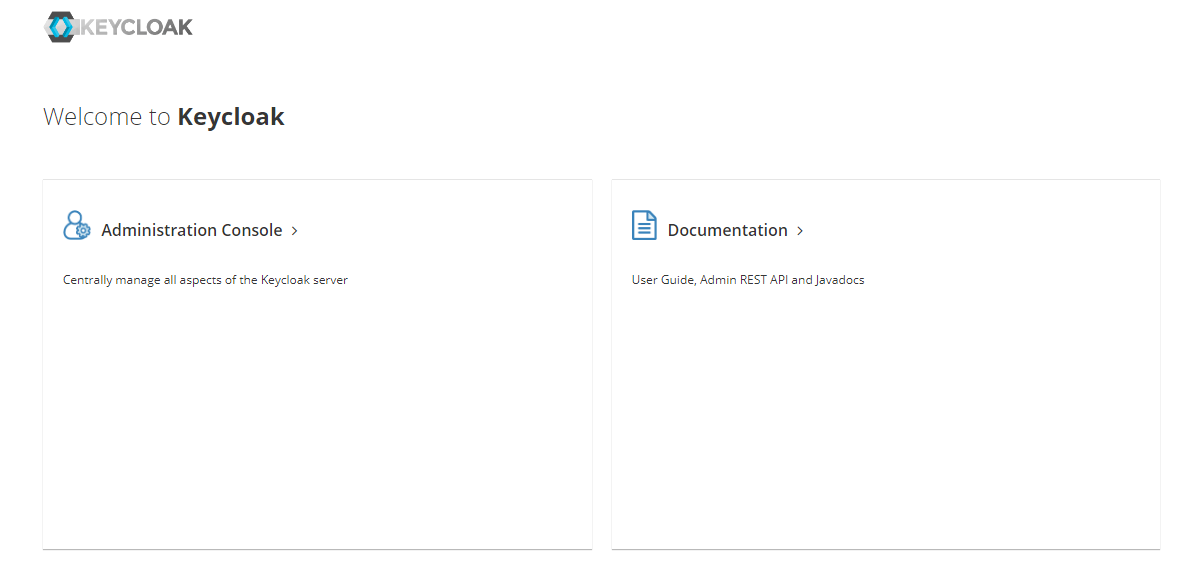
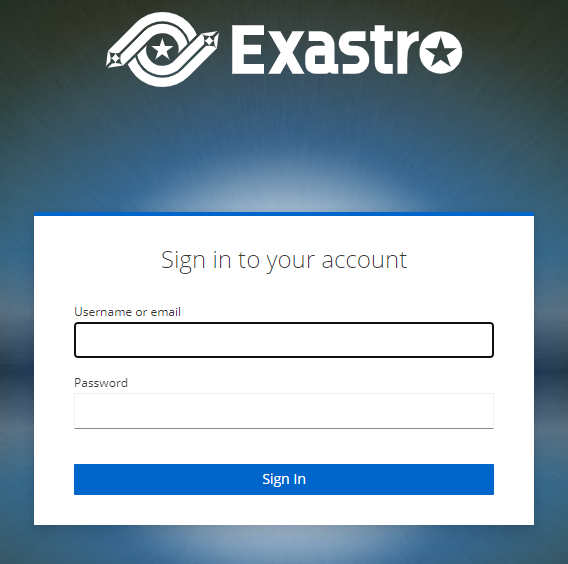
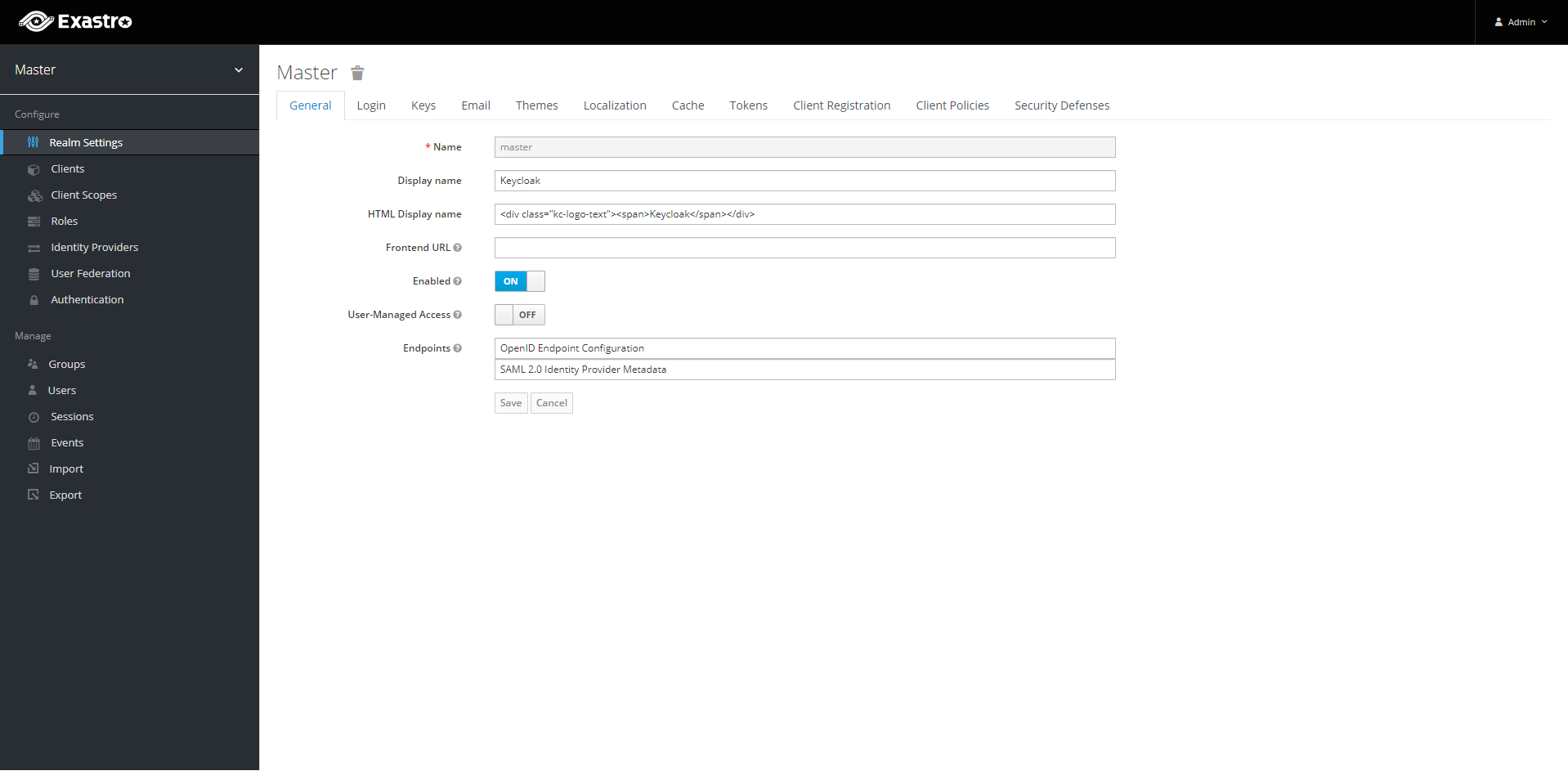
Update
Update preparation
Warning
Update Helm repository
1# Check Repository information
2helm search repo exastro
1helm search repo exastro
2NAME CHART VERSION APP VERSION DESCRIPTION
3exastro/exastro 1.0.0 2.0.3 A Helm chart for Exastro. Exastro is an Open So...
4exastro/exastro-it-automation 1.2.0 2.0.3 A Helm chart for Exastro IT Automation. Exastro...
5exastro/exastro-platform 1.5.0 1.4.0 A Helm chart for Exastro Platform. Exastro Plat...
1# Update Repository information
2helm repo update
1# Check Repository information
2helm search repo exastro
1helm search repo exastro
2NAME CHART VERSION APP VERSION DESCRIPTION
3exastro/exastro 1.0.1 2.1.0 A Helm chart for Exastro. Exastro is an Open So...
4exastro/exastro-it-automation 1.2.0 2.0.3 A Helm chart for Exastro IT Automation. Exastro...
5exastro/exastro-platform 1.5.0 1.4.0 A Helm chart for Exastro Platform. Exastro Plat...
Check default setting values and update data
exastro.yaml file pre and post update.diff -u exastro.yaml <(helm show values exastro/exastro)
exastro-platform:
platform-api:
image:
repository: "exastro/exastro-platform-api"
tag: ""
platform-auth:
+ extraEnv:
+ # Please set the URL to access
+ EXTERNAL_URL: ""
+ EXTERNAL_URL_MNG: ""
ingress:
enabled: true
hosts:
- host: exastro-suite.example.local
paths:
Update setting values
Warning
exastro.yaml must be added.exastro-platform:
platform-api:
image:
repository: "exastro/exastro-platform-api"
tag: ""
platform-auth:
+ extraEnv:
+ # Please set the URL to access
+ EXTERNAL_URL: ""
+ EXTERNAL_URL_MNG: ""
ingress:
enabled: true
hosts:
- host: exastro-suite.example.local
paths:
Specify Encryption key
--- /home/runner/work/exastro-it-automation-docs/exastro-it-automation-docs/workspace/src/en/2.10/installation/literal_includes/exastro.yaml
+++ /home/runner/work/exastro-it-automation-docs/exastro-it-automation-docs/workspace/src/en/2.10/installation/literal_includes/update_exastro.yaml
@@ -8,7 +8,7 @@
LANGUAGE: "en"
TZ: "Asia/Tokyo"
secret:
- ENCRYPT_KEY: ""
+ ENCRYPT_KEY: "JnIoXzJtPic2MXFqRl1yI1chMj8hWzQrNypmVn41Pk8="
persistence:
enabled: true
accessMode: ReadWriteMany
@@ -39,7 +39,7 @@
EXTERNAL_URL: ""
EXTERNAL_URL_MNG: ""
secret:
- ENCRYPT_KEY: ""
+ ENCRYPT_KEY: "bHFZe2VEVVM2PmFeQDMqNG4oZT4lTlglLjJJekxBTHE="
pfAuditLogDefinition:
name: pf-auditlog
persistence:
@@ -621,3 +621,4 @@
- mongo
topologyKey: kubernetes.io/hostname
+
Update
Warning
Danger
Stop service
Checking the number of running Pods
Check the number of running Pods before starting the operation and record their status.kubectl get deploy,statefulset -o jsonpath='{range .items[*]}{@.metadata.name}:{@.spec.replicas}{"\n"}' -n exastro
ita-api-admin:1 ita-api-oase-receiver:1 ita-api-organization:1 ita-by-ansible-execute:1 ita-by-ansible-legacy-role-vars-listup:1 ita-by-ansible-legacy-vars-listup:1 ita-by-ansible-pioneer-vars-listup:1 ita-by-ansible-towermaster-sync:1 ita-by-cicd-for-iac:1 ita-by-collector:1 ita-by-conductor-regularly:1 ita-by-conductor-synchronize:1 ita-by-excel-export-import:1 ita-by-hostgroup-split:1 ita-by-menu-create:1 ita-by-menu-export-import:1 ita-by-oase-conclusion:1 ita-by-terraform-cli-execute:1 ita-by-terraform-cli-vars-listup:1 ita-by-terraform-cloud-ep-execute:1 ita-by-terraform-cloud-ep-vars-listup:1 ita-web-server:1 mariadb:1 platform-api:1 platform-auth:1 platform-job:1 platform-web:1 keycloak:1 mongo:1 :
The service names and replica counts of each Deployment and StatefulSet are displayed.Warning
The displayed services vary depending on the version.Application shutdown
Scale the Pods of the application (platform-auth) down to zero to restrict access.kubectl scale deploy,statefulset -n exastro --replicas=0 --all=true
deployment.apps/ita-api-admin scaled deployment.apps/ita-api-oase-receiver scaled deployment.apps/ita-api-organization scaled deployment.apps/ita-by-ansible-execute scaled deployment.apps/ita-by-ansible-legacy-role-vars-listup scaled deployment.apps/ita-by-ansible-legacy-vars-listup scaled deployment.apps/ita-by-ansible-pioneer-vars-listup scaled deployment.apps/ita-by-ansible-towermaster-sync scaled deployment.apps/ita-by-cicd-for-iac scaled deployment.apps/ita-by-collector scaled deployment.apps/ita-by-conductor-regularly scaled deployment.apps/ita-by-conductor-synchronize scaled deployment.apps/ita-by-excel-export-import scaled deployment.apps/ita-by-hostgroup-split scaled deployment.apps/ita-by-menu-create scaled deployment.apps/ita-by-menu-export-import scaled deployment.apps/ita-by-oase-conclusion scaled deployment.apps/ita-by-terraform-cli-execute scaled deployment.apps/ita-by-terraform-cli-vars-listup scaled deployment.apps/ita-by-terraform-cloud-ep-execute scaled deployment.apps/ita-by-terraform-cloud-ep-vars-listup scaled deployment.apps/ita-web-server scaled deployment.apps/mariadb scaled deployment.apps/platform-api scaled deployment.apps/platform-auth scaled deployment.apps/platform-job scaled deployment.apps/platform-web scaled statefulset.apps/keycloak scaled statefulset.apps/mongo scaled
Warning
The displayed services vary depending on the version.Checking the number of running Pods
Check that all targeted Pods have been scaled down to zero.kubectl get deploy,statefulset -n exastro
NAME READY UP-TO-DATE AVAILABLE AGE deployment.apps/ita-api-admin 0/0 0 0 26h deployment.apps/ita-api-oase-receiver 0/0 0 0 26h deployment.apps/ita-api-organization 0/0 0 0 26h deployment.apps/ita-by-ansible-execute 0/0 0 0 26h deployment.apps/ita-by-ansible-legacy-role-vars-listup 0/0 0 0 26h deployment.apps/ita-by-ansible-legacy-vars-listup 0/0 0 0 26h deployment.apps/ita-by-ansible-pioneer-vars-listup 0/0 0 0 26h deployment.apps/ita-by-ansible-towermaster-sync 0/0 0 0 26h deployment.apps/ita-by-cicd-for-iac 0/0 0 0 26h deployment.apps/ita-by-collector 0/0 0 0 26h deployment.apps/ita-by-conductor-regularly 0/0 0 0 26h deployment.apps/ita-by-conductor-synchronize 0/0 0 0 26h deployment.apps/ita-by-excel-export-import 0/0 0 0 26h deployment.apps/ita-by-hostgroup-split 0/0 0 0 26h deployment.apps/ita-by-menu-create 0/0 0 0 26h deployment.apps/ita-by-menu-export-import 0/0 0 0 26h deployment.apps/ita-by-oase-conclusion 0/0 0 0 26h deployment.apps/ita-by-terraform-cli-execute 0/0 0 0 26h deployment.apps/ita-by-terraform-cli-vars-listup 0/0 0 0 26h deployment.apps/ita-by-terraform-cloud-ep-execute 0/0 0 0 26h deployment.apps/ita-by-terraform-cloud-ep-vars-listup 0/0 0 0 26h deployment.apps/ita-web-server 0/0 0 0 26h deployment.apps/mariadb 0/0 0 0 26h deployment.apps/platform-api 0/0 0 0 26h deployment.apps/platform-auth 0/0 0 0 26h deployment.apps/platform-job 0/0 0 0 26h deployment.apps/platform-web 0/0 0 0 26h NAME READY AGE statefulset.apps/keycloak 0/0 25h statefulset.apps/mongo 0/0 26h
Warning
The displayed services vary depending on the version.
Start Update
helm upgrade exastro exastro/exastro --install \
--namespace exastro --create-namespace \
--values exastro.yaml
NAME: exastro
LAST DEPLOYED: Sat Jan 28 15:00:02 2023
NAMESPACE: exastro
STATUS: deployed
REVISION: 2
TEST SUITE: None
NOTES:
Exastro install completion!
1. Execute the following command and wait until the pod becomes "Running" or "Completed":
# NOTE: You can also append "-w" to the command or wait until the state changes with "watch command"
kubectl get pods --namespace exastro
2. Get the ENCRYPT_KEY by running these commands:
# Exastro IT Automation ENCRYPT_KEY
kubectl get secret ita-secret-ita-global --namespace exastro -o jsonpath='{.data.ENCRYPT_KEY}' | base64 -d
# Exastro Platform ENCRYPT_KEY
kubectl get secret platform-secret-pf-global --namespace exastro -o jsonpath='{.data.ENCRYPT_KEY}' | base64 -d
!!! Please save the output ENCRYPT_KEY carefully. !!!
3. Run the following command to get the application URL and go to the URL or go to the displayed URL:
*************************
* Service Console *
*************************
http://exastro-suite.example.local/
*************************
* Administrator Console *
*************************
http://exastro-suite-mng.example.local/auth/
# Note: You can display this note again by executing the following command.
Restart service
※ The replicas specified in exastro.yaml will be re-started. There is therefore no need to restart them manually.
Move on to Confirm Update status..
Service resumption
Restore the number of Pods for each Deployment to the values recorded at the time of service shutdown.kubectl scale deploy,statefulset -n exastro --replicas=1 --all=true
To resume with individually specified replica counts, use the following command.Enter the service name that was confirmed when the service was stopped.kubectl scale deployment [Service Name] -n exastro --replicas=[replicas数]
For version 2.4.0 and later, use the following commands to resume the services ‘keycloak’ and ‘mongodb’.kubectl scale statefulset [Service Name] -n exastro --replicas=[replicas数]
Tip
To specify multiple service names, separate them using commas.Check the number of running Pods
Verify that the number of target Pods started above has been restored and all are in the READY state.kubectl get deploy,statefulset -n exastro
NAME READY UP-TO-DATE AVAILABLE AGE deployment.apps/ita-api-admin 1/1 1 1 26h deployment.apps/ita-api-oase-receiver 1/1 1 1 26h deployment.apps/ita-api-organization 1/1 1 1 26h deployment.apps/ita-by-ansible-execute 1/1 1 1 26h deployment.apps/ita-by-ansible-legacy-role-vars-listup 1/1 1 1 26h deployment.apps/ita-by-ansible-legacy-vars-listup 1/1 1 1 26h deployment.apps/ita-by-ansible-pioneer-vars-listup 1/1 1 1 26h deployment.apps/ita-by-ansible-towermaster-sync 1/1 1 1 26h deployment.apps/ita-by-cicd-for-iac 1/1 1 1 26h deployment.apps/ita-by-collector 1/1 1 1 26h deployment.apps/ita-by-conductor-regularly 1/1 1 1 26h deployment.apps/ita-by-conductor-synchronize 1/1 1 1 26h deployment.apps/ita-by-excel-export-import 1/1 1 1 26h deployment.apps/ita-by-hostgroup-split 1/1 1 1 26h deployment.apps/ita-by-menu-create 1/1 1 1 26h deployment.apps/ita-by-menu-export-import 1/1 1 1 26h deployment.apps/ita-by-oase-conclusion 1/1 1 1 26h deployment.apps/ita-by-terraform-cli-execute 1/1 1 1 26h deployment.apps/ita-by-terraform-cli-vars-listup 1/1 1 1 26h deployment.apps/ita-by-terraform-cloud-ep-execute 1/1 1 1 26h deployment.apps/ita-by-terraform-cloud-ep-vars-listup 1/1 1 1 26h deployment.apps/ita-web-server 1/1 1 1 26h deployment.apps/mariadb 1/1 1 1 26h deployment.apps/platform-api 1/1 1 1 26h deployment.apps/platform-auth 1/1 1 1 26h deployment.apps/platform-job 1/1 1 1 26h deployment.apps/platform-web 1/1 1 1 26h NAME READY AGE statefulset.apps/keycloak 1/1 26h statefulset.apps/mongo 1/1 26h
Warning
The displayed services vary depending on the version.
Confirm Update status.
# Retrieve the list of Pods
kubectl get po --namespace exastro
NAME                                                      READY   STATUS      RESTARTS   AGE
ita-api-admin-6b8567596d-rgjms                            1/1     Running     0          7h40m
ita-api-oase-receiver-6b74bdff6-zmcrw                     1/1     Running     0          7h40m
ita-api-organization-559d7d8f89-ptphh                     1/1     Running     0          7h40m
ita-by-ansible-execute-5dc444c999-w6gmr                   1/1     Running     0          7h40m
ita-by-ansible-legacy-role-vars-listup-6d8f98895f-bvjgn   1/1     Running     0          7h40m
ita-by-ansible-legacy-vars-listup-6ccd997cf-hvkzq         1/1     Running     0          7h40m
ita-by-ansible-pioneer-vars-listup-6cfcfd4479-8bqst       1/1     Running     0          7h40m
ita-by-ansible-towermaster-sync-6759486f8f-wrbbp          1/1     Running     0          7h40m
ita-by-cicd-for-iac-7b75cc56f5-rrrvg                      1/1     Running     0          7h40m
ita-by-collector-7748d54f59-8j5r2                         1/1     Running     0          7h40m
ita-by-conductor-regularly-779ff79775-xnt29               1/1     Running     0          7h40m
ita-by-conductor-synchronize-5d5485479-5df54              1/1     Running     0          7h40m
ita-by-excel-export-import-6f84f97dcf-hlm4h               1/1     Running     0          7h40m
ita-by-hostgroup-split-59b698f479-cxggd                   1/1     Running     0          7h40m
ita-by-menu-create-796bdc9c75-l79zq                       1/1     Running     0          7h40m
ita-by-menu-export-import-849d796bb5-5mpw2                1/1     Running     0          7h40m
ita-by-oase-conclusion-b484595d7-kssv4                    1/1     Running     0          7h40m
ita-by-terraform-cli-execute-769d874d7-sknn6              1/1     Running     0          7h40m
ita-by-terraform-cli-vars-listup-7f589cdddc-g5xz6         1/1     Running     0          7h40m
ita-by-terraform-cloud-ep-execute-7f8b6d87cc-kfmfv        1/1     Running     0          7h40m
ita-by-terraform-cloud-ep-vars-listup-6cccbd4899-6frcn    1/1     Running     0          7h40m
ita-migration-1-3-6-lydz                                  0/1     Completed   0          7h40m
ita-web-server-b4cd4cdf8-wkx78                            1/1     Running     0          7h40m
keycloak-0                                                1/1     Running     0          7h40m
mariadb-778786f7d-ss4cq                                   1/1     Running     0          7h40m
mongo-0                                                   1/1     Running     0          7h40m
platform-api-ffb78f578-svd5t                              1/1     Running     0          7h40m
platform-auth-75895d784-9hhxw                             1/1     Running     0          7h40m
platform-job-864c47d4f-8vvvq                              1/1     Running     0          7h40m
platform-migration-1-8-0-rjwr                             0/1     Completed   0          7h40m
platform-web-6644884657-dmwp6                             1/1     Running     0          7h40m
Uninstall
Uninstall preparation
Warning
Uninstall
Start Uninstall
helm uninstall exastro --namespace exastro
release "exastro" uninstalled
Delete persistent volumes
For Databases
kubectl delete pv pv-database
persistentvolume "pv-database" deleted
For Files
kubectl delete pv pv-ita-common
persistentvolume "pv-ita-common" deleted
For OASE
kubectl delete pv pv-mongo
persistentvolume "pv-mongo" deleted
kubectl delete pvc volume-mongo-storage-mongo-0 --namespace exastro
persistentvolumeclaim "volume-mongo-storage-mongo-0" deleted
For GitLab
kubectl delete pv pv-gitlab
persistentvolume "pv-gitlab" deleted
For Monitoring log files
kubectl delete pv pv-auditlog
persistentvolume "pv-auditlog" deleted
Deleting Persistent data
For Databases
/var/data/exastro-suite/exastro-platform/database when the Persistent Volume was created.# Log in to control node that has persistent data
ssh user@contol.node.example
# Delete persistent data
sudo rm -rf /var/data/exastro-suite/exastro-platform/database
For Files
/var/data/exastro-suite/exastro-it-automation/ita-common when the Persistent Volume was created.# Log in to control node that has persistent data
ssh user@contol.node.example
# Delete persistent data
sudo rm -rf /var/data/exastro-suite/exastro-it-automation/ita-common
For OASE
/var/data/exastro-suite/exastro-platform/mongo when the Persistent Volume was created.# Log in to control node that has persistent data
ssh user@contol.node.example
# Delete persistent data
sudo rm -rf /var/data/exastro-suite/exastro-platform/mongo
For GitLab
/var/data/exastro-suite/exastro-platform/gitlab when the Persistent Volume was created.# Log in to control node that has persistent data
ssh user@contol.node.example
# Delete persistent data
sudo rm -rf /var/data/exastro-suite/exastro-platform/gitlab
For Monitoring log files
/var/log/exastro when the Persistent Volume was created.# Log in to control node that has persistent data
ssh user@contol.node.example
# Delete persistent data
sudo rm -rf /var/log/exastro